9 Best LinkedIn Carousel Generators in 2026 (Free & Paid)
Compare the top LinkedIn carousel generators including free and paid options. Find the right tool to create engaging carousels that get 3x more engagement than text posts.

Shanjai Raj
Founder at Postking
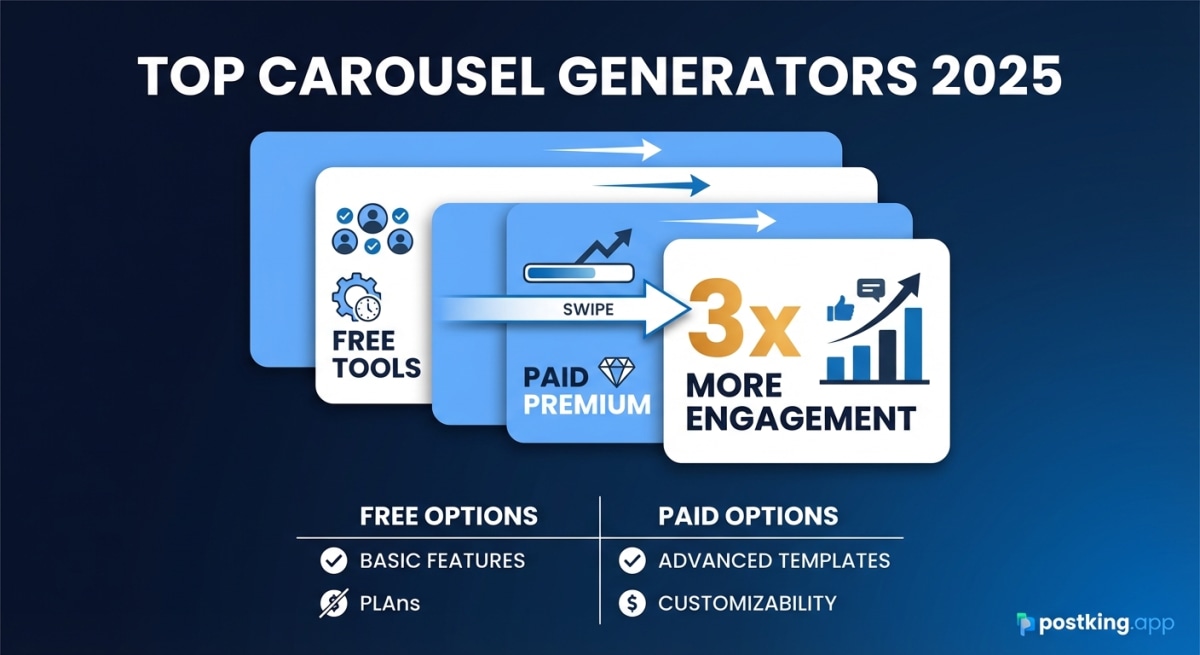
LinkedIn carousels get 3.2x more engagement than single-image posts. The swipeable format keeps people on your content longer, and the algorithm rewards that dwell time with more reach.
The catch? Creating carousels used to mean wrestling with Canva templates or paying a designer. Now there are dedicated tools that make the process much faster.
I tested over a dozen LinkedIn carousel generators to find what actually works. Some are free, some require subscriptions, and a few turned out to be more hype than substance. Here's what I found.
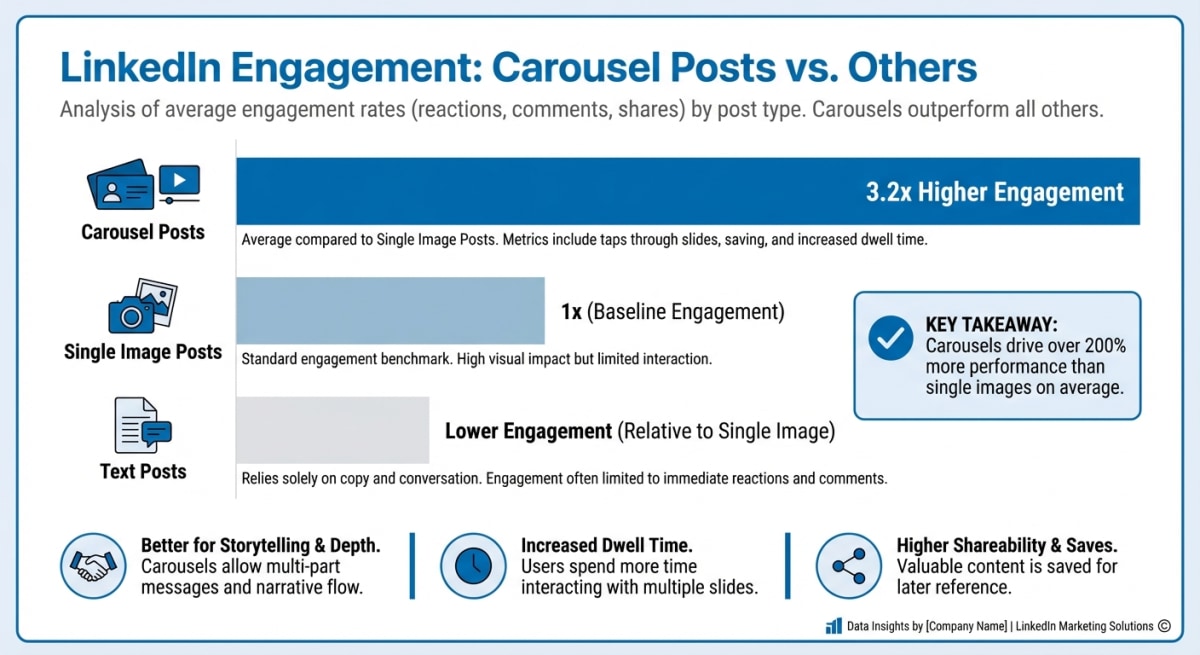 Carousel Engagement Comparison
Quick Comparison: LinkedIn Carousel Generators at a Glance
Before diving into individual reviews, here's how the top tools stack up:
| Tool | Free Plan | AI Content | Templates | Direct Posting | Best For |
|---|---|---|---|---|---|
| Postking | Unlimited, no signup | No | 20+ | No | Speed & simplicity |
| Canva | Limited | Pro only | 1,000+ | No | Design flexibility |
| Taplio | Basic only | Yes ($65+) | Limited | Yes | All-in-one LinkedIn |
| Piktochart | Limited | Yes | 50+ | No | Data visualization |
| aiCarousels | Yes | Yes | 100+ | No | AI-first workflow |
| PostNitro | Limited | Yes | 100+ | No | Multi-platform |
| Visme | Limited | Yes | 200+ | No | Interactive content |
| Contentdrips | Limited | Yes | 50+ | Yes | Influencers & agencies |
| Figma | Yes | No | Community | No | Design control |
1. Postking (Best Free Option)
Pricing: Completely free, no signup required
Postking's LinkedIn Carousel Generator takes a different approach than most tools on this list. Instead of trying to be an all-in-one platform, it focuses on doing one thing well: getting you from idea to finished carousel as fast as possible.
What makes it stand out:
The tool ships with 20+ professionally designed templates spanning dark themes, light themes, gradients, and brand-specific options like "LinkedIn Blue." You pick a template, add your slides, customize your profile info, and download a ready-to-upload PDF.
There's no account required. No credit card. No watermarks on your exports. You can create unlimited carousels right now without signing up for anything.
Key Features:
- 20+ template options (dark, light, gradient, specialty themes)
- 3 layout styles (Classic, Centered, Bold)
- Profile picture and handle customization
- Add/remove slides dynamically
- Desktop and mobile preview
- PDF export optimized for LinkedIn's 1080x1350px format
- Works entirely in-browser
Limitations:
- No AI content generation (you write your own copy)
- No direct LinkedIn publishing
- No team collaboration features
Who it's for: Anyone who wants to create professional carousels quickly without learning a new tool or paying for a subscription. Particularly good for creators who already know what they want to say and just need a fast way to make it look good.
2. Canva
Pricing: Free plan available, Pro starts at $12.99/month
Canva is the obvious choice if you already use it for other design work. With 1,000+ LinkedIn carousel templates, you won't run out of options anytime soon.
What makes it stand out:
Canva's strength is flexibility. You can customize literally everything: fonts, colors, images, layouts, animations. The Brand Kit feature (Pro only) lets you save your colors and fonts for consistent carousels across all your content.
Key Features:
- Massive template library (1,000+ carousel templates)
- Drag-and-drop editor with full customization
- Brand Kit for consistent styling
- Collaborative editing for teams
- Stock photos, icons, and graphics included
- Export as PDF for LinkedIn
Limitations:
- No AI copywriting for LinkedIn-specific content
- Requires manual export (no direct posting)
- Best templates often require Pro subscription
- Can feel overwhelming for simple carousel creation
- No LinkedIn-specific optimization guidance
Who it's for: Designers and marketers who want complete control over their carousel aesthetics, or teams already using Canva for other content.
3. Taplio
Pricing: Free basic tool, Standard plan at $65/month for full carousel features
Taplio positions itself as a complete LinkedIn growth platform, and carousels are just one piece of their toolkit. The free carousel generator is legitimately useful, though limited compared to their paid offerings.
What makes it stand out:
You can generate carousels from a topic prompt, letting AI write the slide content for you. It also pulls from tweets, Reddit posts, or video URLs to create carousels from existing content. The paid version adds scheduling, analytics, and a lead database.
Key Features:
- AI-generated carousel content from topics
- Repurpose tweets and threads into carousels
- Multiple theme options
- Profile picture integration
- Direct LinkedIn scheduling (paid)
- Analytics tracking (paid)
Limitations:
- Full carousel features require $65/month plan
- Limited design customization
- Carousels can look generic without heavy editing
- Some users report LinkedIn ToS concerns with automation features
Who it's for: LinkedIn creators who want AI assistance with content creation and are willing to pay for an all-in-one platform.
4. Piktochart
Pricing: Free plan available, Pro at $14/month
Piktochart started as an infographic tool, so it excels at data-heavy carousels. If your content involves statistics, processes, or visual explanations, this tool handles it better than most.
What makes it stand out:
The AI carousel generator can create up to 6 unique carousel variations at once from a single prompt. This is useful for A/B testing different angles on the same topic. The design tools are more sophisticated than basic carousel generators, with real data visualization capabilities.
Key Features:
- AI generates multiple carousel variations
- Strong data visualization tools
- Charts and graphs built into templates
- Brand kit for consistent styling
- Real-time collaboration
- Professional infographic-style templates
Limitations:
- Fewer templates than design-first tools like Canva
- No direct LinkedIn posting
- Free plan is quite limited
- Better for data content than storytelling carousels
Who it's for: B2B marketers, consultants, and anyone creating data-driven or educational carousel content.
5. aiCarousels
Pricing: Free plan available with unlimited basic carousels
aiCarousels is built specifically for carousel creation with AI at the center. The free tier is surprisingly generous, letting you create unlimited carousels without signing up.
What makes it stand out:
The tool offers multiple AI-powered workflows: Topic-to-Carousel, Text-to-Carousel, Website-to-Carousel, YouTube-to-Carousel, and PDF-to-Carousel. This flexibility means you can repurpose almost any existing content into carousel format.
Key Features:
- Multiple AI conversion options (topic, URL, PDF, YouTube)
- 100+ customizable templates
- Works for LinkedIn, Instagram, and TikTok
- No signup required for basic use
- Fast generation (under 30 seconds typical)
Limitations:
- AI content needs editing for quality
- Less design control than Canva
- No direct posting to LinkedIn
- Premium features require subscription
Who it's for: Content creators who want to quickly repurpose existing content into carousels, or those who prefer AI-assisted content creation.
6. PostNitro
Pricing: Free plan available, paid plans for additional features
PostNitro targets creators who post across multiple platforms. The same carousel can be optimized for LinkedIn, Instagram, and TikTok with appropriate dimensions.
What makes it stand out:
The template customization is solid, you can adjust colors, fonts, and layouts to match your brand without starting from scratch. The cross-platform optimization saves time if you're repurposing content across social networks.
Key Features:
- 100+ customizable templates
- Multi-platform optimization (LinkedIn, Instagram, TikTok)
- Brand customization (colors, fonts, logos)
- AI content suggestions
- Export in multiple formats
Limitations:
- No direct LinkedIn scheduling
- Free plan has limitations on exports
- AI content quality varies
- Less established than major competitors
Who it's for: Multi-platform creators who want consistent branding across LinkedIn, Instagram, and TikTok carousels.
7. Visme
Pricing: Free plan available, Business at $49/month
Visme goes beyond static carousels. You can create interactive and animated content that stands out in feeds, though these features work better on websites than LinkedIn itself.
What makes it stand out:
The charting and data visualization tools rival dedicated business intelligence software. If you're creating carousels with complex data, Visme handles it better than most alternatives. The animation capabilities are unique, though limited in LinkedIn's document format.
Key Features:
- Advanced charting and data visualization
- Interactive content creation
- Animation capabilities
- 200+ templates
- Brand management tools
- Collaboration features
Limitations:
- Expensive compared to carousel-focused tools
- Animation features don't translate to LinkedIn PDFs
- Overkill for simple carousels
- No free support for free users
Who it's for: Enterprises and marketing teams creating sophisticated data presentations that need to work across multiple formats.
8. Contentdrips
Pricing: Free trial, paid plans for full features
Contentdrips targets influencers, agencies, and brands managing multiple accounts. The carousel generator is part of a broader content management platform.
What makes it stand out:
Direct LinkedIn scheduling is built in, so you can create and post from one interface. The tool also supports team workflows with approval processes, which is useful for agencies managing client accounts.
Key Features:
- Direct LinkedIn posting
- Team collaboration and approvals
- 50+ carousel templates
- AI content assistance
- Multi-account management
- Scheduling and calendar view
Limitations:
- Template selection is smaller than competitors
- Primarily designed for agencies and teams
- Individual creator plans still relatively expensive
- Learning curve for full platform
Who it's for: Agencies, influencers, and brands that need to manage multiple LinkedIn accounts with team collaboration.
9. Figma (Community Templates)
Pricing: Free for individuals, paid for teams
Figma isn't a carousel generator, it's a design tool. But the community has created hundreds of free LinkedIn carousel templates that you can duplicate and customize.
What makes it stand out:
You get complete design control. Every pixel is editable. For designers or those comfortable with design tools, Figma offers flexibility that no carousel generator can match. The community templates range from minimal to elaborate, and they're continuously updated.
Key Features:
- Full design control over every element
- Hundreds of free community templates
- Professional-grade design tools
- Version history and collaboration
- Export to PDF for LinkedIn
- Works on any platform via browser
Limitations:
- Requires design skills or willingness to learn
- No AI content generation
- Manual export process
- More time-intensive than dedicated tools
- No LinkedIn-specific features
Who it's for: Designers who want complete creative control, or anyone willing to invest time in learning a professional design tool.
How to Choose the Right Carousel Generator
The "best" tool depends entirely on how you work:
Choose Postking if:
- You want something free that works immediately
- You already know what content you want to create
- Speed matters more than AI assistance
- You don't want another subscription
Choose Canva if:
- You need maximum design flexibility
- You're already in the Canva ecosystem
- You want access to thousands of templates
- You need team collaboration
Choose Taplio if:
- You want AI to help write carousel content
- You're willing to pay for all-in-one LinkedIn tools
- Direct scheduling and analytics matter
- You're building a personal brand
Choose Piktochart or Visme if:
- Your carousels involve data and statistics
- You need professional infographic capabilities
- B2B or educational content is your focus
Choose Figma if:
- You're a designer or want to become one
- Complete creative control is non-negotiable
- You have time to invest in template customization
What Makes a Good LinkedIn Carousel?
Regardless of which tool you use, effective carousels share common traits. We cover this in depth in our complete guide to LinkedIn carousels, but here are the essentials:
Slide 1: Hook hard. Your first slide determines if anyone sees the rest. Use a bold statement, surprising statistic, or direct question. No logos, no introductions, just the hook.
Keep it scannable. Each slide should have one idea. Use large fonts (45px+ on mobile). Aim for 25-50 words per slide maximum.
Include a rehook. Around slide 4-5, add a slide that creates fresh curiosity. "Here's where it gets interesting..." keeps people swiping.
End with action. Your final slide tells readers what to do: follow, comment, share, or check your profile.
Use the right dimensions. LinkedIn carousels work best at 1080x1350 pixels (4:5 ratio). All the tools on this list support this format.
Start Creating
Carousels take more effort than text posts. But they perform significantly better, both in engagement and in building recognition over time.
Pick a tool from this list that matches how you work. If you're not sure where to start, Postking's free carousel generator requires no signup and takes about 2 minutes to create your first carousel.
Whatever you choose, the important thing is to start. Your first carousel won't be perfect. Neither will your fifth. But each one teaches you what resonates with your audience.
Test different hooks. Experiment with slide counts. Try new templates. The data will tell you what works.
Related Reads
Written by
Shanjai Raj
Founder at Postking
Building tools to help professionals grow on LinkedIn. Passionate about content strategy and personal branding.
View all postsYou might also like
LinkedIn Posting Frequency Calculator
Try our free linkedin posting frequency calculator to enhance your LinkedIn presence.
LinkedIn Carousel Generator
Try our free linkedin carousel generator to enhance your LinkedIn presence.
Best LinkedIn Scheduling Tools 2026: Features, Pricing & Honest Reviews
Compare 10+ LinkedIn scheduling tools including Postking, Taplio, Shield, Buffer, Hootsuite, and more. Find the best tool for creators, teams, and agencies with detailed pricing, features, and honest recommendations.
Best LinkedIn Carousel Generators 2026: Free & Paid Tools Compared
Comprehensive comparison of 10+ LinkedIn carousel generators. Feature breakdowns, pricing analysis, and use case recommendations to find the perfect tool for your content strategy.
LinkedIn Hook Generator
Try our free linkedin hook generator to enhance your LinkedIn presence.
Taplio vs Postking: Which LinkedIn Tool is Right for You in 2026?
An honest comparison of Taplio and Postking for LinkedIn content creation. Compare features, pricing, and use cases to find the right tool for your needs.
more engagement with carousels
Create scroll-stopping LinkedIn carousels in under 60 seconds. No design skills needed.
Try Carousel Generator