Taplio vs Postking: Which LinkedIn Tool is Right for You in 2026?
An honest comparison of Taplio and Postking for LinkedIn content creation. Compare features, pricing, and use cases to find the right tool for your needs.

Shanjai Raj
Founder at Postking
Choosing a LinkedIn content tool comes down to how you actually work. Some people need AI to write posts from scratch. Others want help turning existing content into LinkedIn posts. Both Taplio and Postking do LinkedIn content, but they approach the problem differently.
This comparison breaks down what each tool does well, where they fall short, and which one makes sense for different types of creators.
Quick Overview
Taplio positions itself as an all-in-one LinkedIn growth platform. It combines AI content generation, scheduling, analytics, and a lead database into a single subscription. The tool is built for people who want everything in one place and are willing to pay for that convenience.
Postking focuses on turning your existing ideas into LinkedIn content. Voice recordings, YouTube videos, blog posts, or any URL can become polished posts. The emphasis is on maintaining your authentic voice rather than generating content from scratch.
| Feature | Taplio | Postking |
|---|---|---|
| Starting Price | $39/month (limited) | Free (2 posts/month) |
| Full Features | $65/month | $49/month (yearly) |
| AI Content | Generate from prompts | Transform your content |
| Voice Input | No | Yes |
| Content Repurposing | URLs, YouTube | URLs, YouTube, voice, blogs |
| Carousel Creation | Yes (paid) | Yes (free tool) |
| Image Generation | No | Yes (Imagen 3) |
| Lead Database | Yes ($149/month) | No |
| Free Trial | 7 days | Free plan forever |
Content Creation: Different Philosophies
This is where the tools diverge most.
Taplio's Approach
Taplio uses AI to generate posts from scratch. You provide a topic or prompt, and it creates content based on patterns from 500+ million LinkedIn posts it analyzed.
Strengths:
- Generates complete posts from simple prompts
- Hook generator for opening lines
- Can pull from viral post library for inspiration
- Works if you genuinely don't know what to say
Limitations:
- AI-generated content can sound generic
- Requires significant editing to match your voice
- Full AI features need the $65/month Standard plan (Starter at $39 doesn't include AI writing)
- Risk of sounding like everyone else using the same tool
Postking's Approach
Postking transforms content you already have into LinkedIn posts. The core idea: you know your business better than any AI. You just need help packaging those thoughts.
Strengths:
- Voice recording turns 2 minutes of talking into a structured post
- Repurposes YouTube videos, blog posts, and any URL
- AI enhances your content rather than replacing your voice
- Content sounds like you, not like a generic AI
- Works for people who have ideas but hate writing
Limitations:
- Requires you to have something to say (won't generate from scratch)
- No massive viral post library to browse
- Better for creators with existing content or strong opinions
Scheduling and Publishing
Both tools handle scheduling, but with different depth.
Taplio offers:
- One-click post scheduling
- Kanban board view for content organization
- Direct LinkedIn publishing for text, images, videos, and carousels
- Calendar view for planning
Postking offers:
- Automated posting at optimal times
- Content calendar for planning
- Scheduling for images and text posts
- Available on the Professional plan ($79/month yearly)
For straightforward scheduling, both work. Taplio has more advanced organization features like the Kanban view. Postking keeps scheduling simpler but integrated with its content creation workflow.
Analytics and Insights
Analytics help you understand what content performs. Here's how each tool handles it.
Taplio provides:
- Performance tracking beyond LinkedIn's native analytics
- Top-performing post identification
- Engagement trends over time
- Available on all paid plans
Postking focuses more on the creation side. The platform is built around helping you create better content, with the philosophy that consistent, quality content matters more than micro-analyzing every metric.
If deep analytics is your priority, Taplio offers more here. If you're more focused on consistently creating good content, Postking's approach keeps you focused on output rather than obsessing over numbers.
Carousel and Visual Content
Carousels get 3.2x more engagement than single-image posts. Both tools address this.
Taplio includes carousel creation in paid plans. The tool can generate carousels from topics, YouTube videos, or blog posts. Design options are somewhat limited compared to dedicated design tools.
Postking offers a completely free LinkedIn carousel generator with 20+ templates. No signup required, no watermarks. For more details on creating effective carousels, check our complete guide to LinkedIn carousels.
Additionally, Postking includes AI image generation powered by Imagen 3. Posts with images get 2x more engagement on LinkedIn, and the tool generates images optimized specifically for the platform. This feature is unique to Postking among LinkedIn content tools.
Pricing Breakdown
Here's where the numbers matter.
Taplio Pricing (2026)
| Plan | Monthly | Annual | Key Features |
|---|---|---|---|
| Starter | $39 | ~$27/mo | Scheduling, basic analytics, content inspiration. No AI writing. |
| Standard | $65 | ~$46/mo | AI content generation, carousel creator, engagement tools |
| Pro | $149 | ~$104/mo | 3M+ lead database, 5,000 AI credits, team features |
The catch: AI content generation (Taplio's headline feature) requires the $65/month plan. The $39 starter plan is essentially a scheduler.
Postking Pricing (2026)
| Plan | Monthly | Annual | Key Features |
|---|---|---|---|
| Free | $0 | $0 | 2 posts/month, basic generation, 5 knowledge base links |
| Starter | $59 | $49/mo | 8 posts/month, advanced AI, post improvements |
| Professional | $99 | $79/mo | 30 posts/month, AI image generation, automated posting |
Key difference: Postking's Starter plan ($49/mo annual) includes full AI content features. Taplio's equivalent (Standard) costs $65/month.
Cost comparison for similar features:
- Taplio Standard ($65/mo) vs Postking Starter ($49/mo): Postking saves $192/year
- For AI content + image generation: Taplio doesn't offer image generation. Postking Professional at $79/mo includes it.
Unique Features
Taplio Exclusives
Lead Database: The Pro plan ($149/month) includes access to 3+ million LinkedIn contacts filterable by industry, job level, and other criteria. If you're doing outbound prospecting alongside content, this is valuable.
Chrome Extension: Free browser extension that provides analytics and insights while browsing LinkedIn. Works without a paid subscription.
Viral Post Library: Access to millions of high-performing posts for inspiration and content ideas.
Postking Exclusives
Voice to Content: Record your thoughts on your phone or computer. The AI transcribes and structures them into polished posts. This is especially useful for founders and experts who think faster than they type.
AI Image Generation: Create LinkedIn-optimized images with Imagen 3. No stock photos, no Canva templates needed.
Content Repurposing: Turn any URL into LinkedIn content. YouTube videos, blog posts, Reddit threads, podcasts - anything becomes post material.
Free Tools: LinkedIn post formatter, post preview tool, and carousel generator are completely free without account creation.
Who Should Use Taplio
Taplio makes sense if you:
- Need a lead database: The Pro plan's contact database is genuinely useful for prospecting and outreach
- Want AI to write from scratch: If you don't have existing content or strong opinions, Taplio's generative approach fills that gap
- Value all-in-one platforms: Scheduling, analytics, content, and leads in one subscription
- Have budget for premium features: The full Taplio experience requires the $65-$149/month range
- Prioritize analytics: Taplio's analytics go deeper than LinkedIn's native stats
Taplio is a solid choice for sales professionals, recruiters, and agencies who need both content creation and lead generation tools.
Who Should Use Postking
Postking makes sense if you:
- Have ideas but hate writing: Voice recording eliminates the blank page problem
- Create other content already: YouTube videos, podcasts, blogs can all become LinkedIn posts
- Want to sound like yourself: AI enhances your voice rather than replacing it
- Are a founder or business owner: The platform is built specifically for startup founders building their personal brand
- Need quality at a reasonable price: Full features at $49/month (yearly) vs $65+ elsewhere
- Want to try before committing: Free plan lets you test the workflow, plus free tools require no signup
Postking is ideal for founders, consultants, and experts who have valuable knowledge to share but struggle with the content creation process itself.
The Verdict
There's no universal "better" tool. The right choice depends on your situation.
Choose Taplio if:
- You need AI to generate content ideas and posts from nothing
- Lead database access is important for your sales workflow
- You want everything (content, scheduling, analytics, leads) in one platform
- You have $65-149/month budget for a LinkedIn tool
Choose Postking if:
- You have thoughts and ideas but struggle to write them down
- You create other content (videos, podcasts, blogs) that could become LinkedIn posts
- Maintaining your authentic voice matters more than content volume
- You want AI image generation to boost engagement
- You prefer lower pricing with free tools to try first
Both tools solve the LinkedIn content problem. Taplio throws more AI at generating content from prompts. Postking helps you package what you already know into content that sounds like you.
For startup founders and business owners specifically, Postking's voice-to-content approach often works better. You're busy building something. You don't have time to craft perfect posts. But you do have insights worth sharing. Recording your thoughts for 2 minutes and getting a polished post back is a workflow that actually fits into a founder's day.
Try Before You Decide
Both platforms offer ways to test them:
- Taplio: 7-day free trial with full Pro access
- Postking: Free plan forever (2 posts/month) plus free tools like the carousel generator and post formatter
The best approach: try both. Your workflow will tell you which one fits.
Related Reads
Written by
Shanjai Raj
Founder at Postking
Building tools to help professionals grow on LinkedIn. Passionate about content strategy and personal branding.
View all postsYou might also like
LinkedIn Posting Frequency Calculator
Try our free linkedin posting frequency calculator to enhance your LinkedIn presence.
LinkedIn Post Analyzer
Try our free linkedin post analyzer to enhance your LinkedIn presence.
Best LinkedIn Scheduling Tools 2026: Features, Pricing & Honest Reviews
Compare 10+ LinkedIn scheduling tools including Postking, Taplio, Shield, Buffer, Hootsuite, and more. Find the best tool for creators, teams, and agencies with detailed pricing, features, and honest recommendations.
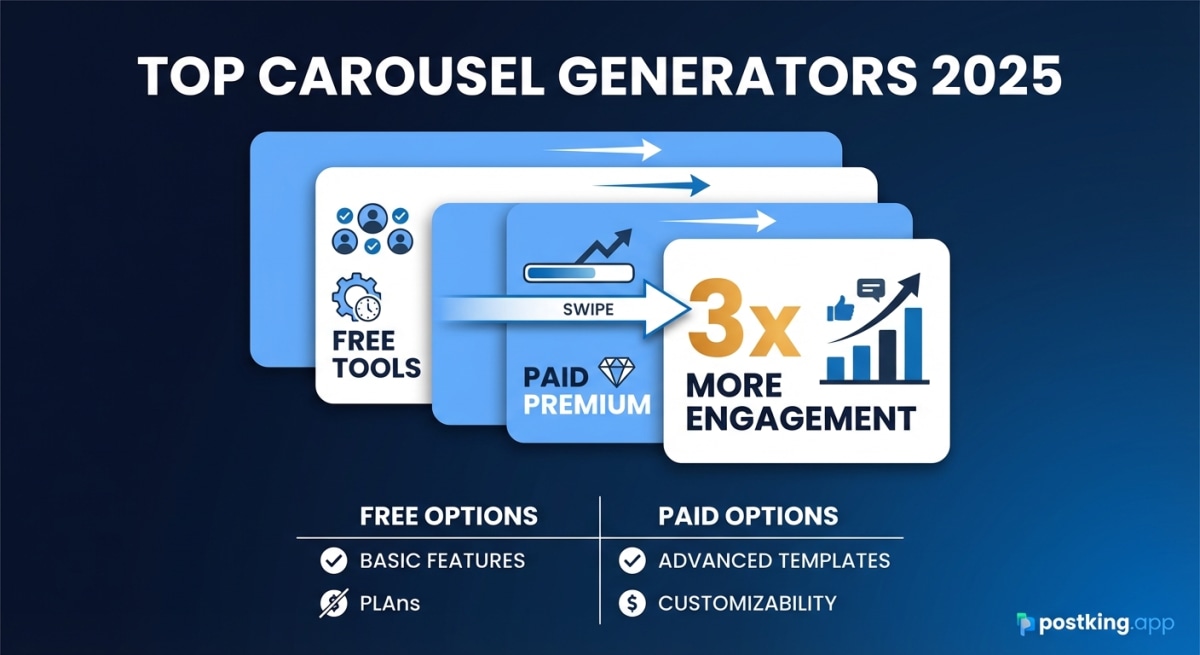
9 Best LinkedIn Carousel Generators in 2026 (Free & Paid)
Compare the top LinkedIn carousel generators including free and paid options. Find the right tool to create engaging carousels that get 3x more engagement than text posts.
LinkedIn Hook Generator
Try our free linkedin hook generator to enhance your LinkedIn presence.
Best LinkedIn Carousel Generators 2026: Free & Paid Tools Compared
Comprehensive comparison of 10+ LinkedIn carousel generators. Feature breakdowns, pricing analysis, and use case recommendations to find the perfect tool for your content strategy.
LinkedIn Sales Navigator Alternatives: 8 Tools Compared (2026)
Sales Navigator costs $99/month. Compare 8 alternatives from free to enterprise, with features, pricing, and use case recommendations.
more engagement with carousels
Create scroll-stopping LinkedIn carousels in under 60 seconds. No design skills needed.
Try Carousel Generator