How to Go Viral on LinkedIn as a Founder: 7 Post Formulas (2026)
7 proven post formulas that get 100k+ views. Real examples, structure breakdowns, and when to use each format for maximum reach.

Shanjai Raj
Founder at Postking
Every founder dreams of that moment when their LinkedIn post explodes—100k views, thousands of likes, hundreds of comments, and a flood of inbound interest. But here's the truth: virality isn't magic. It's a repeatable formula.
After analyzing hundreds of viral founder posts and generating millions of impressions ourselves, we've identified seven post formulas that consistently break through LinkedIn's algorithm and capture attention at scale.
This isn't theory. These are battle-tested frameworks used by founders who've built audiences from zero to hundreds of thousands of followers.
Let's dive into the exact formulas that work in 2026.
Before We Start: The Truth About Virality
Let's get this out of the way first: you don't need viral posts to succeed on LinkedIn.
Consistent, valuable content that reaches your target audience beats occasional viral hits every time. A post with 5,000 views that reaches the right decision-makers is worth more than 500,000 views from random people who will never buy from you.
That said, viral posts can:
- Accelerate your audience growth by months or years
- Position you as a thought leader in your space
- Generate inbound leads and partnership opportunities
- Validate your content strategy and boost your confidence
The key is using virality as rocket fuel for your existing strategy, not as the strategy itself.
Now, let's get into the formulas.
Formula 1: The Failure Story (Vulnerability Wins)
The Structure

Hook: A shocking admission of failure
↓
The Setup: What you were trying to achieve
↓
The Fall: How spectacularly you failed (specific details)
↓
The Lesson: What you learned that changed everything
↓
The Transformation: Where you are now
↓
CTA: Encouragement for others facing similar challenges

Real Example Breakdown
Opening: "I lost $200k in 6 months. Here's what I learned."
This formula works because vulnerability is rare on LinkedIn. Most founders only share wins, so admitting failure instantly stands out. The key is being specific with numbers and details—vague failures don't resonate.
When to Use It
- You've genuinely learned from a significant setback
- Enough time has passed that you can reflect objectively
- The lesson is valuable to your target audience
- You're emotionally ready to share (forced vulnerability falls flat)
The Anatomy
Hook (Line 1): Lead with the failure, not the lesson. "I failed" beats "Here's what failure taught me."
The Details (Lines 2-8): Paint the picture. What were you building? What went wrong? Be brutally honest. Name specific numbers, decisions, and mistakes.
The Pivot Point (Lines 9-12): What moment changed your perspective? This is where the story shifts from despair to hope.
The Lesson (Lines 13-16): Extract the universal truth. What would you tell someone about to make the same mistake?
The Proof (Lines 17-20): Show the transformation. Where are you now? How did applying the lesson change things?
Common Mistakes
❌ Making it about you instead of the lesson ❌ Sharing failure without genuine insight ❌ Ending on a down note (always close with hope) ❌ Using failure as a humble-brag
Formula 2: The Contrarian Take (Challenge Beliefs)
The Structure
Hook: Popular belief is wrong
↓
The Setup: Why everyone believes this
↓
The Reveal: Why it's actually backwards
↓
The Evidence: Data, examples, or logic
↓
The Alternative: What to do instead
↓
CTA: Challenge readers to question their assumptions
Real Example Breakdown
Opening: "Everyone says 'build in public.' That's terrible advice for 90% of founders."
Contrarian posts work because LinkedIn is an echo chamber. When someone challenges conventional wisdom, people pay attention—either to agree or to argue. Both drive engagement.
When to Use It
- You have genuine experience that contradicts popular advice
- You can back up your position with evidence or logic
- The conventional wisdom is actively harming people
- You're willing to defend your position in the comments
The Anatomy
Hook (Line 1): State the contrarian position clearly. No ambiguity.
The Context (Lines 2-5): Acknowledge why the conventional wisdom exists and seems logical.
The Flip (Lines 6-10): Introduce the counterargument. Use "But here's what they don't tell you..." or "Here's the problem..."
The Proof (Lines 11-16): Back it up with data, case studies, or logical reasoning. Specific examples beat general statements.
The Better Way (Lines 17-22): Don't just criticize—offer an alternative approach. Give people something actionable.
Common Mistakes
❌ Being contrarian for attention instead of truth ❌ Attacking people instead of ideas ❌ No evidence to support your position ❌ Being dismissive of legitimate perspectives
Formula 3: The Data Drop (Original Research)
The Structure
Hook: Surprising statistic or finding
↓
The Setup: What you analyzed and why
↓
The Findings: 3-5 key insights (numbered list)
↓
The Surprise: The most counterintuitive discovery
↓
The Application: How to use this data
↓
CTA: Share their experience or additional data
Real Example Breakdown
Opening: "I analyzed 500 viral LinkedIn posts. 73% shared one hidden trait."
Data posts work because they offer new information. In a sea of opinions, fresh data stands out. The key is making your research specific, surprising, and actionable.
When to Use It
- You've analyzed meaningful data (not just 10 examples)
- Your findings challenge assumptions or reveal patterns
- You can present the data visually or clearly
- The insights are immediately applicable
The Anatomy
Hook (Line 1): Lead with your most surprising finding. Use specific numbers.
The Method (Lines 2-5): Briefly explain what you analyzed. This builds credibility.
The Findings (Lines 6-18): Present 3-5 key insights in a numbered list. Each should be one clear observation.
The Surprise (Lines 19-22): Highlight the most counterintuitive finding. This is your "wow" moment.
The Action (Lines 23-28): Translate insights into strategy. "Based on this data, here's what to do..."
Common Mistakes
❌ Sample size too small to be meaningful ❌ Cherry-picking data to fit your narrative ❌ Presenting data without actionable insights ❌ Making the post too technical or hard to digest
Formula 4: The Lesson Learned (Distilled Wisdom)
The Structure
Hook: Years of experience condensed into one insight
↓
The Context: Your journey or experience
↓
The Realization: When you figured it out
↓
The Framework: The lesson broken down into parts
↓
The Example: How to apply it
↓
CTA: What would you add to this lesson?
Real Example Breakdown
Opening: "5 years building startups taught me one thing: Speed matters more than perfection."
This formula works because people want shortcuts to wisdom. If you can save someone years of trial and error, they'll pay attention.
When to Use It
- You've genuinely put in the time to earn the insight
- The lesson is specific, not generic advice
- You can illustrate it with concrete examples
- It challenges how your audience currently thinks
The Anatomy
Hook (Line 1): Frame your experience (X years, Y attempts) then deliver the core insight.
The Journey (Lines 2-6): Briefly describe your path to this realization. What were you trying to figure out?
The Aha Moment (Lines 7-10): When did it click? What specific event or observation changed your thinking?
The Breakdown (Lines 11-20): Explain the lesson in depth. Use a framework, steps, or principles.
The Application (Lines 21-26): Give a concrete example of applying this lesson. Make it real and specific.
Common Mistakes
❌ Sharing obvious or cliché wisdom ❌ Positioning yourself as more experienced than you are ❌ Lesson is too vague or general ❌ No clear path to implementation
Formula 5: The Behind-the-Scenes (Radical Transparency)
The Structure
Hook: Revealing something typically kept private
↓
The Setup: Why this matters
↓
The Details: Specific numbers, screenshots, or processes
↓
The Context: What this means
↓
The Lessons: What you learned from this
↓
CTA: Ask readers what they want to see next
Real Example Breakdown
Opening: "Our revenue last month: $47,382. Here's the full breakdown."
Transparency posts work because most companies operate in secrecy. When you share real numbers, real struggles, or real processes, you build trust at scale.
When to Use It
- You have something genuinely interesting to share
- You're comfortable with public transparency
- The information won't compromise your competitive position
- You can add context and lessons, not just numbers
The Anatomy
Hook (Line 1): State exactly what you're revealing. Use specific numbers or details.
The Evidence (Lines 2-10): Share the actual data, screenshot, or behind-the-scenes look. Visual proof amplifies this formula.
The Story (Lines 11-18): Add context. What does this data mean? What's the story behind these numbers?
The Insights (Lines 19-24): Extract lessons. What surprised you? What would you do differently?
The Invitation (Lines 25-28): Ask what else they want to see. This builds your content pipeline and engagement.
Common Mistakes
❌ Sharing numbers without context or lessons ❌ Using transparency as a humble-brag ❌ Revealing information you'll regret later ❌ Making it about the numbers instead of the journey
Formula 6: The Hot Take (Strong Opinion)
The Structure
Hook: Controversial statement
↓
The Setup: Why this opinion matters
↓
The Argument: Your reasoning (3-5 points)
↓
The Counter: Acknowledge opposing views
↓
The Conclusion: Restate your position
↓
CTA: Where do you stand on this?
Real Example Breakdown
Opening: "Unpopular opinion: Most founders should NOT raise VC funding."
Hot takes work because they force people to pick a side. Even if they disagree, they engage—and engagement drives reach.
When to Use It
- You genuinely hold this position (authenticity matters)
- You can articulate clear reasoning
- The topic is relevant to your audience
- You're prepared for debate in the comments
The Anatomy
Hook (Line 1): State your controversial opinion clearly. Use "Unpopular opinion:" or "Hot take:" to signal the format.
The Stakes (Lines 2-5): Explain why this matters. Why should people care about your position?
The Case (Lines 6-18): Build your argument with 3-5 clear points. Use logic, examples, or data.
The Nuance (Lines 19-22): Acknowledge legitimate counterarguments. This shows intellectual honesty and disarms critics.
The Stand (Lines 23-26): Restate your position with confidence. Don't backpedal.
Common Mistakes
❌ Being controversial for attention without substance ❌ Attacking people who disagree ❌ No nuance or acknowledgment of complexity ❌ Opinion isn't actually controversial
Formula 7: The List Post (Actionable Tips)
The Structure
Hook: Number of items + bold promise
↓
The Setup: Why these items matter
↓
The List: 5-10 actionable items
↓
The Emphasis: Highlight the most important one
↓
The Application: How to implement
↓
CTA: Which one will you try first?
Real Example Breakdown
Opening: "10 LinkedIn tactics that got me 50k followers in 6 months:"
List posts work because they're scannable and actionable. People can quickly assess value and save for later, which signals to LinkedIn's algorithm that your content is worth distributing.
When to Use It
- You have genuinely valuable tactics to share
- Each item is specific and actionable
- You've personally tested these tactics
- You can explain the "why" behind each item
The Anatomy
Hook (Line 1): Lead with a number and a specific result. "7 things..." or "10 tactics..."
The Frame (Lines 2-4): Briefly set up why these items matter or how you discovered them.
The List (Lines 5-25): Present each item clearly. Use a consistent format. Each should be actionable, not theoretical.
The Power Move (Lines 26-28): Highlight which item had the biggest impact. "If you only do one thing..."
The How (Lines 29-32): Give implementation guidance. What should they do right now?
Common Mistakes
❌ Generic tips everyone already knows ❌ Too many items (overwhelming) ❌ No specificity or actionability ❌ Items lack proof or credibility
When Each Formula Works Best
Failure Story: Best for building connection early in your journey or after a public setback
Contrarian Take: Use when you see harmful conventional wisdom spreading in your industry
Data Drop: Perfect when you've done original research or spotted a trend others missed
Lesson Learned: Ideal for establishing authority and providing genuine value
Behind-the-Scenes: Great for building trust and community, especially around milestones
Hot Take: Use sparingly—best for topics you're genuinely passionate about
List Post: Excellent for providing quick wins and actionable value
Common Mistakes That Kill Viral Potential
1. Trying Too Hard
The posts that go viral often aren't trying to go viral. They're sharing something genuine, valuable, or provocative. When you write with "virality" as your goal, it shows—and it repels people.
Write to serve your audience, not the algorithm.
2. Being Inauthentic
Borrowed vulnerability, fake contrarianism, and manufactured hot takes all fall flat. Your audience can smell inauthenticity from miles away.
Only share stories, opinions, and data that are genuinely yours.
3. No Clear Point
Viral posts have a singular, clear message. If your reader finishes your post and thinks "Okay, but what was the point?" you've failed.
Every post needs one core idea, clearly articulated.
4. Weak Hook
If your first line doesn't stop the scroll, nothing else matters. The hook is 80% of your post's success.
Spend 50% of your writing time on line one.
5. Lack of Specificity
"I made mistakes and learned lessons" is vague. "I spent $200k on ads that converted at 0.01% because I ignored LTV" is specific.
Specificity = credibility = engagement.
What to Do When a Post Goes Viral
Congratulations—your post just hit 100k views. Now what?
1. Engage With Every Comment (First Hour)
The first 60 minutes are critical. Respond to comments quickly and thoughtfully. This signals to LinkedIn that your post is generating conversation, which increases distribution.
2. Don't Pitch
Your DMs are flooding in. Resist the urge to pitch your product to everyone. Instead, be helpful, build relationships, and let people discover what you do organically.
Hard selling kills the goodwill a viral post creates.
3. Follow Up With Value
Post a follow-up the next day that builds on the viral post. Give people a reason to follow you beyond that one piece of content.
4. Capture the Audience
If the post mentions a resource, framework, or tool, create a simple landing page where people can learn more. Include a subtle way to capture emails.
5. Don't Chase the High
One viral post doesn't mean every post should try to replicate it. Return to your normal content strategy and let virality be the exception, not the expectation.
The Real Secret to Virality
After analyzing thousands of viral posts, here's what actually matters:
Virality = (Value × Emotion × Relatability) ÷ Friction
- Value: Does this teach something, share something, or provoke something?
- Emotion: Does it make people feel something (inspired, angry, validated, surprised)?
- Relatability: Can your audience see themselves in this?
- Friction: How easy is it to consume, understand, and engage with?
The formulas in this guide are frameworks for maximizing this equation. But the magic ingredient is you—your unique perspective, your hard-earned lessons, your authentic voice.
Your Next Steps
Going viral isn't about luck. It's about understanding what resonates, packaging it effectively, and consistently showing up.
Here's how to put these formulas into action:
- Choose one formula from this list that aligns with a story, insight, or data you have
- Draft your post using the structure outlined
- Test your hook on a colleague or friend—does it stop them mid-scroll?
- Post at peak hours (Tuesday-Thursday, 8-10 AM in your target timezone)
- Engage actively for the first hour after posting
Need help crafting the perfect hook? Use our Hook Generator to create scroll-stopping opening lines.
Want to format your post for maximum readability? Try our Post Formatter to structure your content like viral posts.
For more on building a sustainable LinkedIn strategy as a founder, read our comprehensive guide: LinkedIn for Startup Founders: The Complete 2026 Guide.
And if you're stuck on what to post about, check out 50+ LinkedIn Content Ideas for Founders.
Remember: virality is accelerant, not fuel. Build a consistent content engine first, then let these formulas amplify your best ideas.
Now go create something worth sharing.
Related Reads
Written by
Shanjai Raj
Founder at Postking
Building tools to help professionals grow on LinkedIn. Passionate about content strategy and personal branding.
View all postsYou might also like
LinkedIn Posting Frequency Calculator
Try our free linkedin posting frequency calculator to enhance your LinkedIn presence.
LinkedIn Hook Generator
Try our free linkedin hook generator to enhance your LinkedIn presence.
LinkedIn CTA Examples: What to Say at the End of a Post
Call-to-action examples that get replies, saves, and DMs without being pushy.
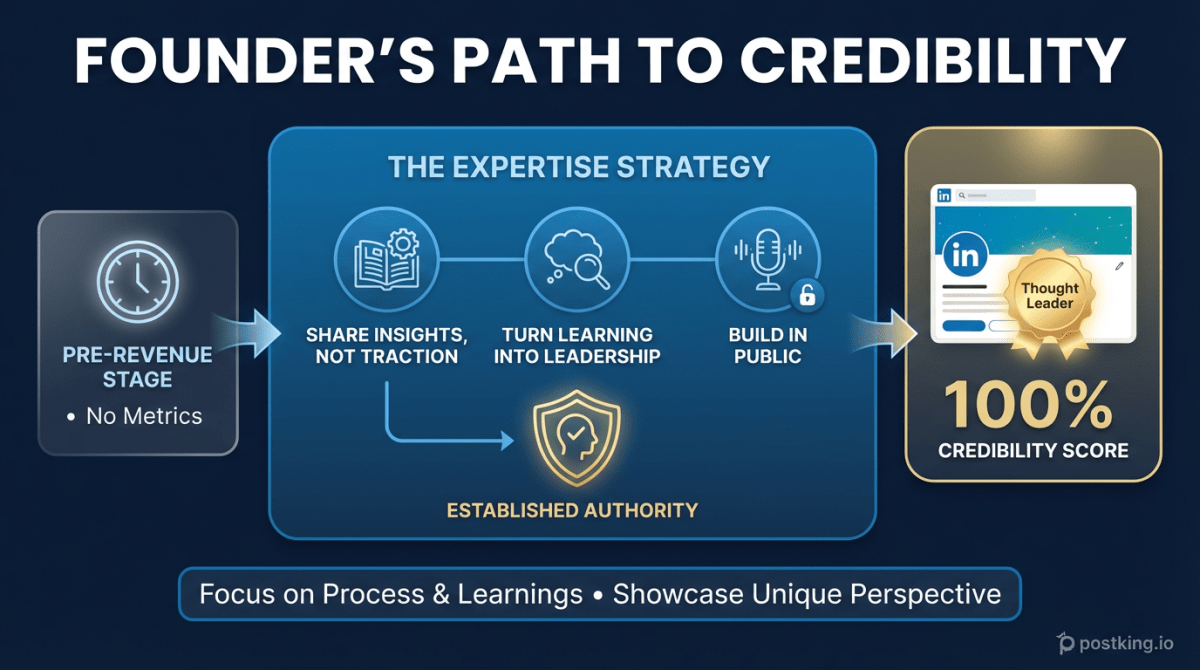
The Pre-Revenue Founder's LinkedIn Playbook: Building Credibility When You Have No Metrics
Learn how to build LinkedIn authority as a pre-revenue founder. Discover content strategies that establish credibility through expertise, not traction, and turn 'still figuring it out' into thought leadership.
LinkedIn Post Analyzer
Try our free linkedin post analyzer to enhance your LinkedIn presence.
How to Create LinkedIn Carousels That Actually Get Engagement
Learn exactly how to create LinkedIn carousels that get 24% engagement rates. Includes hook formulas, design specs, content frameworks, and the Rehook technique most creators miss.
more engagement with carousels
Create scroll-stopping LinkedIn carousels in under 60 seconds. No design skills needed.
Try Carousel Generator