How Technical Founders Grow on LinkedIn Without Marketing
A practical LinkedIn strategy for technical founders to build authority without cringe or oversharing.

Shanjai Raj
Founder at Postking
You've shipped production systems. Debugged memory leaks at 3 AM. Architected solutions that handle millions of requests. But the idea of posting on LinkedIn makes you want to close your laptop and go for a walk.
That resistance is reasonable. Most LinkedIn content is the opposite of everything you value: vague, self-congratulatory, optimized for engagement rather than accuracy. "Thought leadership" feels like a contradiction in terms when the thoughts are shallow.
But here's the problem: your potential customers, hires, and partners are on LinkedIn. They're forming opinions about you and your company based on what they find there. If they find nothing, or worse, a dusty profile with your job title and no context, you're losing ground to founders who show up.
The good news: you don't have to become a "LinkedIn person." You just need to share what you already know, in a way that respects your audience's intelligence.
Why Technical Founders Resist LinkedIn
Let's be honest about what's happening when you scroll through LinkedIn and feel that familiar cringe.
Most of the content follows predictable patterns. The humble brag disguised as a lesson. The manufactured vulnerability designed for comments. The startup jargon that sounds impressive but says nothing. Posts that optimize for the algorithm rather than genuine insight.
When you're someone who values precision, evidence, and substance, this feels performative. Because it is.
The resistance you feel comes from a values mismatch. You believe work should speak for itself. You think self-promotion is distasteful. You'd rather ship features than write posts about shipping features.
These instincts aren't wrong. But they're incomplete.
The reality is that your work doesn't speak for itself. It speaks to the small number of people who directly interact with it. Everyone else has no way to evaluate you except through your public presence.
When an engineer considers joining your team, they'll research you. When a potential customer evaluates your product, they'll look at who built it. When an investor hears your name, they'll check your profile before taking the meeting.
What will they find?
Reframing Marketing as Documentation
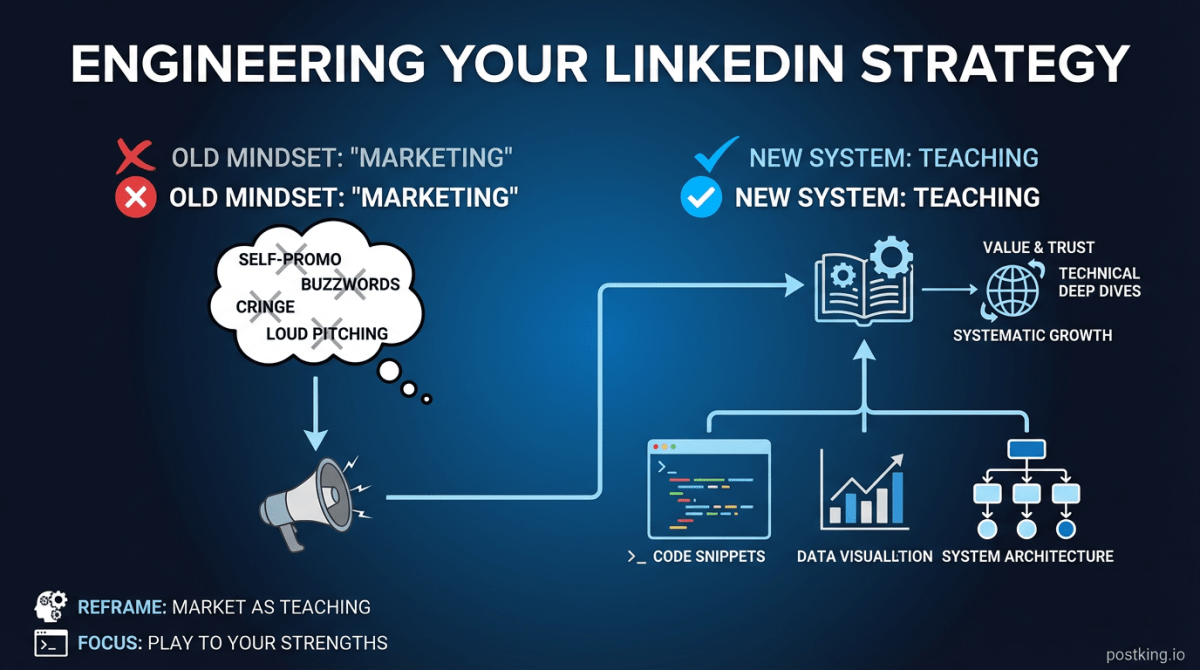
Here's the mindset shift that changes everything: stop thinking of LinkedIn as marketing. Think of it as documentation.
You already document your work. Architecture Decision Records. RFC proposals. Pull request descriptions. Postmortems. Internal wikis explaining how systems work and why you made certain choices.
This documentation is valuable because it captures reasoning that would otherwise be lost. It helps future team members understand context. It creates institutional knowledge.
LinkedIn posts are the same thing, just with a different audience.
Instead of documenting for your team, you're documenting for your industry. Instead of explaining a decision to a coworker, you're explaining it to people who face similar decisions. The underlying skill is identical: taking complex technical work and making it understandable.
You're not marketing. You're teaching at scale.
The Teach Don't Sell Framework
Every time you sit down to write a post, filter it through this question: "What would I want to know if I were facing this situation?"
Not: "What makes me look good?" Not: "What will get the most engagement?" Just: "What's actually useful here?"
This framing removes the self-promotion discomfort because you're not promoting yourself. You're sharing information that happens to come from your experience.
The formula is simple:
Context + Decision + Reasoning + Outcome + What You'd Do Differently
That's it. Any technical decision you've made becomes content when you document it in this structure.
Content That Plays to Technical Strengths
Technical founders have natural advantages on LinkedIn that most content creators don't. You understand systems. You've solved real problems. You can explain complex ideas clearly because you've had to onboard junior engineers and translate requirements for stakeholders.
Here's how to leverage that.
Architecture Decisions
Every significant technical decision contains a story. Why did you choose Postgres over DynamoDB? Why did you go serverless (or not)? Why did you pick that particular framework?
The specific choice matters less than the reasoning process. Your audience learns from how you think, not just what you built.
Example structure:
We needed to handle 10x traffic spikes without provisioning for peak capacity.
Options considered:
- Auto-scaling EC2 (flexible but complex)
- Lambda (simple but cold start concerns)
- Kubernetes with HPA (powerful but operational overhead)
We chose Lambda with provisioned concurrency for the critical paths. Six months in, here's what we learned:
- Cold starts were less problematic than expected (95th percentile under 200ms)
- The cost model surprised us: steady traffic made provisioned concurrency cheaper than expected
- Debugging distributed traces required more tooling investment than anticipated
Would I make the same choice again? Yes, but I'd invest in observability tooling from day one.
That's a post. No creativity required. Just documenting a decision you already made.
Debugging Stories
Engineers love war stories. The bug that took three days to find. The production incident that taught you something unexpected. The edge case that shouldn't have been possible.
These stories are entertaining and educational. They show real expertise without claiming it. And they build credibility because anyone who's debugged production systems recognizes the experience.
The structure is straightforward:
Symptom + Investigation + Wrong Turns + Root Cause + Fix + Lesson
You don't need to share proprietary details. Abstract the specifics. "Our fintech app" becomes "a high-traffic payments system." Specific metrics can be percentages or ratios instead of absolute numbers.
The learning transfers even when the context is anonymized.
Tool Evaluations
Technical founders constantly evaluate tools. Feature flag services. Monitoring platforms. CI/CD systems. Databases. Frameworks.
These evaluations are content:
- "We tried three observability platforms. Here's our honest comparison."
- "Why we migrated from CircleCI to GitHub Actions (and almost went back)"
- "The authentication stack I'd build if starting over today"
These posts attract both potential customers (who face similar decisions) and engineering candidates (who want to work with thoughtful tooling choices).
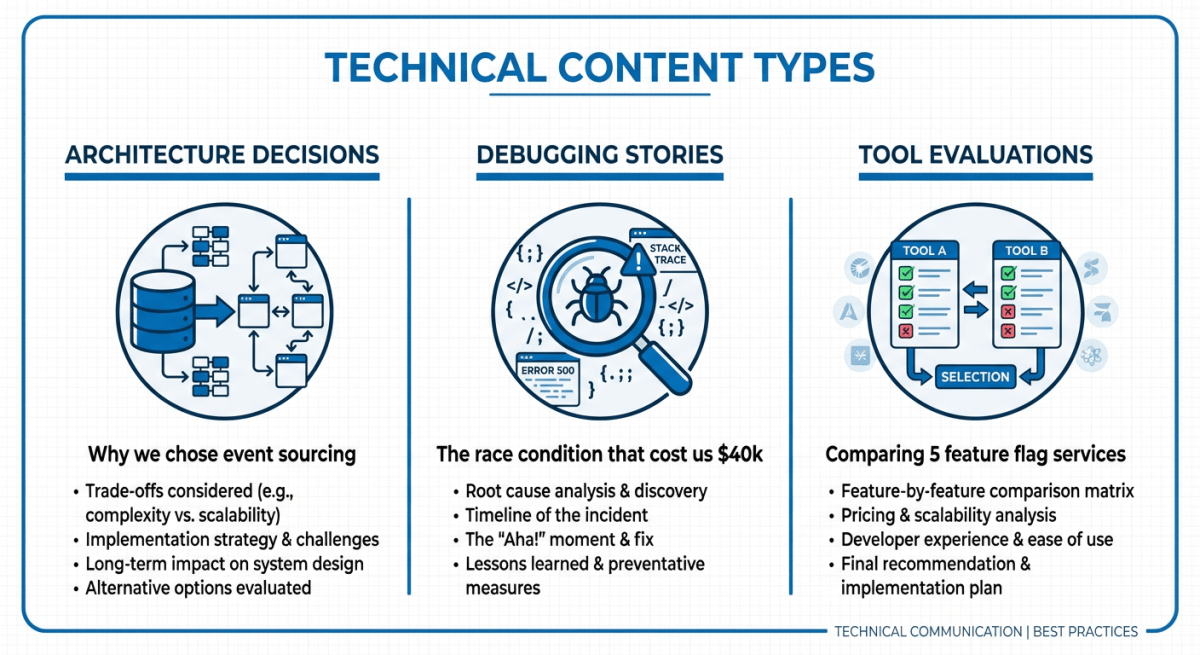 Technical Content Types for Founders
Writing Technical Topics for Non-Technical Audiences
Not everyone reading your posts will be engineers. Some will be potential customers, investors, or business-side colleagues. Writing for mixed audiences is a skill you probably already have.
The key is leading with the problem, not the solution.
Too technical: "We implemented a CQRS pattern with event sourcing to handle eventual consistency across our microservices."
Better: "Our system needed to show the same data to thousands of users instantly, even when that data was being updated by multiple services. Here's how we solved it."
The second version is still accurate. It just starts with the problem (showing consistent data) rather than the solution (CQRS). Anyone can understand the problem. The technical readers will appreciate the solution. The non-technical readers will understand the challenge you overcame.
The 80/20 Explanation Rule
When explaining technical concepts, aim for 80% clarity and 20% precision. It's better to be understood than to be exhaustively accurate.
"We use a message queue to handle order processing" is more useful to most readers than "We implemented a distributed event bus with exactly-once delivery semantics for transactional message processing."
Technical readers will ask follow-up questions if they want details. Non-technical readers will understand the core concept and move on.
This isn't dumbing down. It's communication.
Building Credibility Through Code and Demos
Nothing builds technical credibility faster than showing your work.
Open Source Contributions
If you maintain open source projects, mention them. Not every post, but occasionally link to interesting problems you've solved publicly. This provides verifiable evidence of your skills.
Technical Blog Posts and Documentation
Long-form technical content (on your blog, Medium, or dev.to) can feed LinkedIn posts. Write a detailed post about implementing a feature, then summarize the key insights for LinkedIn and link to the full version.
Demo Videos
Short videos showing technical work are underused on LinkedIn. A 30-second screen recording of a feature you built, with voiceover explaining the interesting parts, stands out in a feed of text posts.
You don't need production quality. Phone recordings work fine. The authenticity is the point.
Code Snippets
LinkedIn supports code blocks (though formatting is limited). Sharing a particularly elegant solution, a useful pattern, or a before/after refactor provides concrete value.
Technical Founders Doing LinkedIn Well
Study these founders to see how technical credibility translates to LinkedIn presence.
Pieter Levels (@levelsio): Built multiple profitable products (Nomad List, RemoteOK, PhotoAI) and documents the journey with specific numbers and technical decisions. His posts are direct, often showing actual code and revenue screenshots.
Theo Browne (@theo): Built a YouTube following explaining technical concepts, then translated that to LinkedIn with the same clarity. Demonstrates that teaching scales across platforms.
Mitchell Hashimoto (HashiCorp): Co-founder of HashiCorp. Posts thoughtfully about infrastructure, engineering culture, and technical decision-making. Shows how to be technical without being inaccessible.
Guillermo Rauch (Vercel): Mixes product updates with genuine technical insights about web development. His posts often include code examples and performance metrics.
Common patterns among technical founders who do LinkedIn well:
- They share specific numbers and details, not vague claims
- They acknowledge uncertainty and trade-offs
- They teach something in every post
- They respond thoughtfully to technical questions in comments
- They don't perform confidence they don't have
The Minimum Viable LinkedIn Routine
You're building a company. You can't spend hours on content. Here's the minimum that actually works.
Weekly time investment: 1-2 hours total
-
Capture (ongoing): Keep a note on your phone. When you make an interesting decision, fix a weird bug, or learn something, jot down one sentence. This takes 30 seconds per note.
-
Write (30 minutes/week): Once a week, pick one item from your notes. Expand it using the frameworks above. Don't overthink it.
-
Engage (20-30 minutes/week): Respond to comments on your posts. Comment on posts from people you respect. This builds relationships and increases your visibility.
-
Review (15 minutes/month): Check what performed well. Double down on topics that resonated.
One thoughtful post per week beats daily shallow content. Consistency over volume.
Avoiding the Cringe
The behaviors that make you cringe are specific. Avoid them:
Don't:
- Start posts with "I'm thrilled to announce..." (Just announce it)
- Use buzzwords you'd never say in conversation (synergy, leverage, unlock)
- Write posts that are more about your feelings than information
- Add "AGREE?" or similar engagement bait at the end
- Perform gratitude for normal business outcomes
Do:
- State what happened and what it means
- Use the technical vocabulary that's actually accurate
- Acknowledge trade-offs and uncertainty
- Let the information speak without emotional amplification
- Write like you're explaining something to a smart colleague
The anti-cringe checklist before posting:
- Does this contain at least one specific number, metric, or concrete detail?
- Would I find this useful if someone else posted it?
- Am I sharing information or asking for validation?
- Could I delete the first paragraph and improve the post?
That last one matters. Most LinkedIn posts bury the value below unnecessary setup. Start with the insight.
Your First Three Posts
Stop overthinking. Here's exactly what to write this month:
Post 1: A recent technical decision
Pick something you decided in the last month. Explain the context, the options you considered, and why you chose what you chose. Include one thing you learned or would change.
Post 2: A tool you rely on
What's something in your stack that you genuinely like? Why? What's the one thing you'd improve about it? Be specific.
Post 3: A debugging story
Think of a bug that took longer than expected to figure out. Walk through your investigation. What was the root cause? What did you learn?
None of these require inspiration. They require documentation of things you've already done.
Write one this week. See what happens.
Ready to format your technical posts for maximum readability? Use Postking's free post formatter to structure your content with proper spacing and line breaks. Or turn your technical frameworks into visual carousels that other engineers will actually share. For the complete playbook on building presence as a founder, check out our LinkedIn guide for founders.
Related Reads
Written by
Shanjai Raj
Founder at Postking
Building tools to help professionals grow on LinkedIn. Passionate about content strategy and personal branding.
View all postsYou might also like
LinkedIn Posting Frequency Calculator
Try our free linkedin posting frequency calculator to enhance your LinkedIn presence.
LinkedIn Post Ideas Generator
Try our free linkedin post ideas generator to enhance your LinkedIn presence.
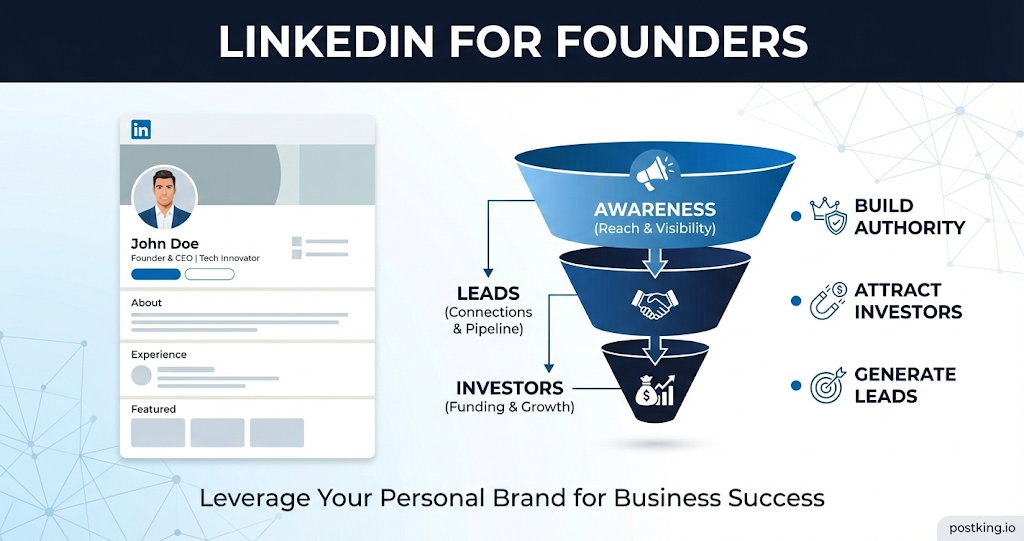
LinkedIn Growth Strategy for Founders (2026 Guide)
A complete LinkedIn growth playbook for founders to build authority, attract investors, and grow pipeline.
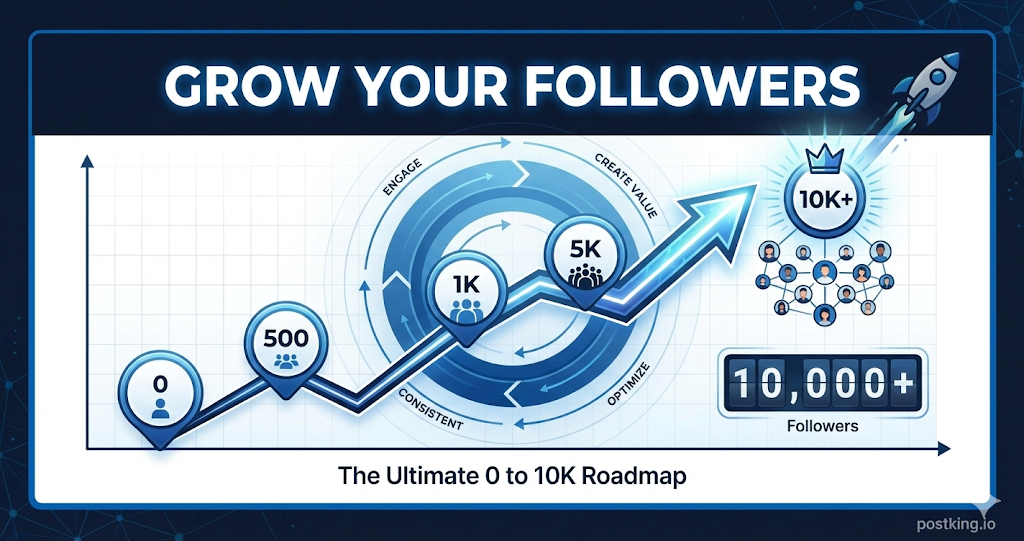
How to Grow LinkedIn Followers: A Realistic Guide to Organic Growth
Learn proven strategies to grow your LinkedIn following organically. Covers the follower growth flywheel, content that attracts followers, engagement tactics, and realistic timelines from 0 to 10,000 followers.
LinkedIn Post Formatter
Try our free linkedin post formatter to enhance your LinkedIn presence.
LinkedIn Growth Strategy for Solo Founders (2026)
A practical LinkedIn playbook for solo founders to build visibility and customers without a team.
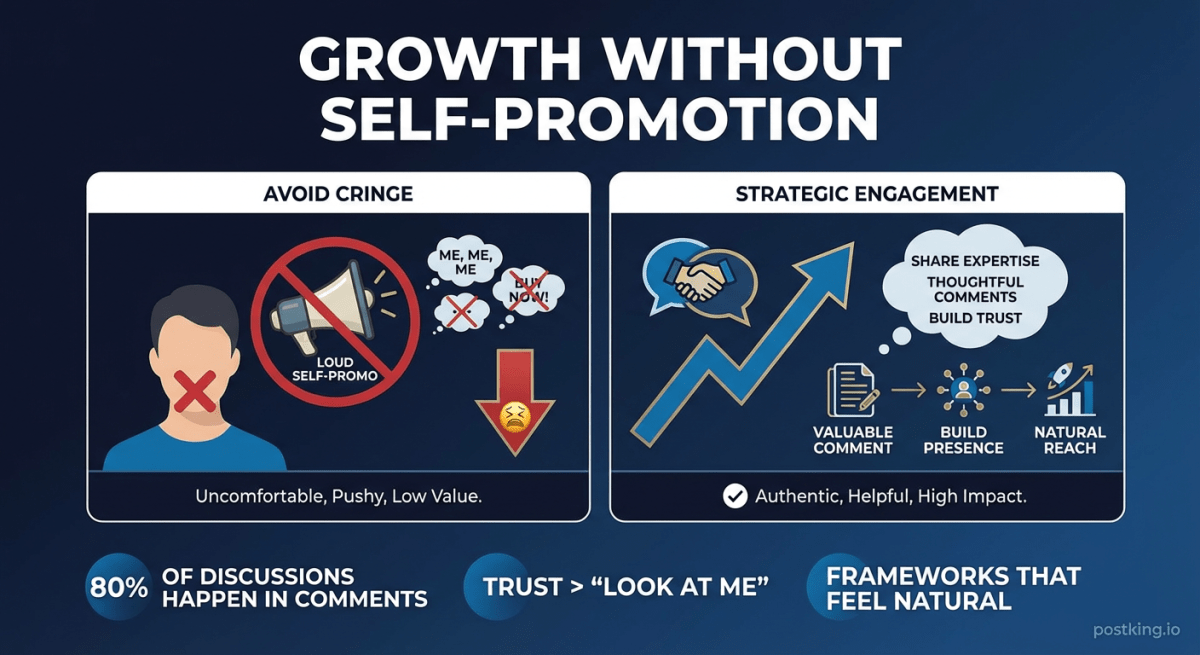
LinkedIn Strategies for Founders Who Hate Self-Promotion
A practical guide for introverted founders and anyone who finds self-promotion uncomfortable. Learn frameworks that feel natural, the comment-first strategy, and how to build presence without making yourself cringe.
more engagement with carousels
Create scroll-stopping LinkedIn carousels in under 60 seconds. No design skills needed.
Try Carousel Generator