LinkedIn Content Ideas for Marketers: 50+ Topics That Actually Build Authority (Not Just Engagement)
Stop posting generic marketing tips. 50+ content ideas, templates, and frameworks that position you as a marketing expert worth hiring—organized by campaign breakdowns, industry insights, controversial takes, and more.

Shanjai Raj
Founder at Postking
You know you should be posting on LinkedIn. You understand thought leadership drives client inquiries, better job offers, and speaking opportunities.
But every time you sit down to write, you stare at a blank screen thinking: "What can I possibly say that hasn't been said a thousand times already?"
Here's the problem: Most marketers post the same recycled advice—"know your audience," "test everything," "content is king." It's noise. And you're smart enough to know that adding to the noise won't differentiate you.
This guide provides 50+ specific content ideas organized into categories that actually build authority: campaign breakdowns, industry insights, controversial takes, career stories, and technical tutorials. Each comes with templates, timing advice, and guidance on adapting based on your marketing niche.
What you'll get:
- 50+ content ideas that demonstrate expertise (not generic tips)
- Templates for each content type
- When to use each format
- How to adapt based on your niche (B2B, B2C, agency, in-house)
- A repurposing system that turns one insight into 5+ posts
Let's turn your LinkedIn presence from "another marketer posting tips" to "the marketer everyone wants to hire."
Why Marketers Need LinkedIn Content (Beyond the Obvious)
Before diving into content ideas, let's address why this matters specifically for marketers:
The credibility filter: When a potential client Googles your name (and they will), your LinkedIn profile and content are often the first impression. A dormant profile or generic posts signal that you're not current or not serious.
The inbound advantage: Marketers with active LinkedIn presence report:
- 40% more inbound client inquiries
- 23% higher salary offers
- 3x more conference speaking invites
- Direct access to hiring managers (without recruiter middlemen)
The differentiation opportunity: In a saturated space where everyone claims expertise, consistent, specific content is the filter that separates practitioners from pretenders.
For a comprehensive strategy on building authority as a marketer, see our complete guide to LinkedIn for marketers.
The 7 Content Categories That Build Marketing Authority
1. Campaign Breakdowns (Real Results, Real Tactics)
These posts perform exceptionally well because they showcase actual execution, not theory. Marketers want to see what works in practice.
Content Ideas:
- "We spent $10K testing [marketing channel]. Here are the actual results..."
- "Campaign breakdown: How we generated [X] leads at $[Y] cost per lead"
- "Before/After: The landing page tweak that increased conversions by 43%"
- "We A/B tested 47 email subject lines. Here's what actually won..."
- "Content marketing ROI: What we learned after publishing 100 posts"
- "Our cold outreach experiment: 500 emails, here's what worked"
- "LinkedIn ad breakdown: $5K spend, here's the full funnel analysis"
- "We tested 5 different CTAs. The winner surprised us..."
- "SEO case study: How we ranked #1 for [competitive keyword] in 90 days"
- "Conversion rate optimization: 8 tests, 3 wins, 5 failures"
Template:

We ran an experiment: [specific test]

The setup:
→ Goal: [what you were trying to achieve]
→ Budget: [$ amount]
→ Timeline: [duration]
→ Method: [what you tested]

The results:
→ [Metric 1]: [specific number]
→ [Metric 2]: [specific number]
→ Winner: [what performed best]
→ Loser: [what flopped and why]

The key lesson: [actionable takeaway]

Anyone else testing [similar thing]? What are you seeing?

When to Use: Post campaign breakdowns when you have complete data and the experiment has concluded. Avoid sharing active tests that competitors could exploit.
Niche Adaptations:
- B2B SaaS: Focus on pipeline metrics, demo requests, trial conversions
- E-commerce: Emphasize ROAS, AOV, customer acquisition cost
- Agency: Showcase client results (anonymized if needed)
- In-house: Highlight company metrics and channel performance
Example:
We spent $3K testing LinkedIn ads for a B2B SaaS client.
The setup: → Goal: Generate demo requests under $100 CPL → Budget: $3,000 → Timeline: 30 days → Method: Tested 3 ad formats (image, video, carousel)
The results: → Image ads: $147 CPL (33 demos) → Video ads: $89 CPL (52 demos) ← Winner → Carousel ads: $203 CPL (19 demos)
The surprise: Video ads also had 2.3x higher meeting show-up rate.
The key lesson: For B2B, video builds trust faster than static images. The extra production time (2 hours) paid for itself 5x over.
Who else is running LinkedIn ads? What's your CPL benchmark?
2. Industry Insights (Data, Trends, Predictions)
Position yourself as a forward-thinking marketer who sees patterns others miss. These posts work best when backed by proprietary data or unique perspective.
Content Ideas:
- "I analyzed 200 [industry] campaigns. Here's what the top performers do differently..."
- "Marketing trend that's dying: [X]. What's replacing it: [Y]"
- "Unpopular prediction: [Bold statement about where marketing is heading]"
- "I surveyed 300 [target audience]. Here's what they actually want from marketers..."
- "Platform update breakdown: What [LinkedIn/Google/Meta] changed and how it affects your strategy"
- "The marketing skills gap: What hiring data reveals about 2026"
- "I just analyzed $2M in ad spend across 50 companies. Here are the patterns..."
- "Everyone's talking about [trend]. Nobody's talking about [overlooked trend]"
- "3 marketing channels that are saturating (and what to do instead)"
- "I spent 3 days at [conference]. Here are the 5 insights worth sharing..."
Template:
[Bold statement about industry trend]

Here's what I'm seeing:

📊 The data: [Share specific numbers or observations]
→ [Stat 1]
→ [Stat 2]
→ [Stat 3]

🎯 Why it matters:
[Explain implications for marketers]

⚡ What to do about it:
1. [Actionable recommendation]
2. [Actionable recommendation]
3. [Actionable recommendation]

What are you seeing in [industry/channel]?
When to Use: Post insights after gathering sufficient data or observing consistent patterns across multiple campaigns/companies.
Niche Adaptations:
- B2B: Focus on enterprise sales cycles, ABM, pipeline metrics
- B2C: Emphasize consumer behavior, social trends, virality patterns
- Agency: Showcase cross-client patterns and industry benchmarks
- In-house: Deep-dive into your specific vertical or product category
Example:
I analyzed 150 B2B SaaS websites. Only 18% have dedicated "Use Cases" pages.
Here's what I'm seeing:
📊 The data: → Companies WITH use case pages: 34% higher demo request rate → Average time on site: 2.3x longer → Sales cycle: 28% shorter on average
🎯 Why it matters: Most B2B sites lead with features ("What we do"). Use cases show application ("How you use it"). Buyers need the latter to visualize ROI.
⚡ What to do about it:
- Create 3-5 use case pages targeting different buyer roles
- Include specific metrics and workflows
- Link from homepage, pricing, and blog posts
Does your B2B site have use case pages? If yes, what's your conversion lift?
3. Controversial Takes (Challenge Conventional Wisdom)
Bold, contrarian opinions cut through the noise—but they need to be backed by experience and data, not just inflammatory for clicks.
Content Ideas:
- "Unpopular opinion: [Common marketing advice] is killing your results"
- "I used to believe in [popular framework]. Here's why I stopped..."
- "Everyone says [X]. We did the opposite and here's what happened..."
- "Marketing hot take: [Platform/tool] is overrated. Here's why..."
- "The problem with [popular strategy] that nobody admits"
- "Most marketers are wrong about [topic]. Here's what they're missing..."
- "Why we stopped [common practice] and doubled our results"
- "Controversial: Your [persona/ICP/positioning] strategy is too broad"
- "The biggest lie in marketing: [common belief]"
- "I'm going to say what everyone's thinking: [industry criticism]"
Template:
Unpopular opinion: [Contrarian statement]

Why everyone believes [conventional wisdom]:
→ [Reason it's common advice]
→ [Why it seems logical]

Why I disagree (backed by experience):
→ [Your data/results]
→ [What you tried instead]
→ [What actually happened]

The nuance: [When the conventional wisdom IS right]

What's worked better for you: [Option A] or [Option B]?
When to Use: Post contrarian takes when you have strong evidence and a genuine POV—not just to be provocative.
Niche Adaptations:
- B2B: Challenge long sales cycle assumptions, ABM tactics, LinkedIn ad wisdom
- B2C: Question social media best practices, influencer ROI, viral content strategies
- Agency: Critique common client expectations or agency norms
- In-house: Share what works differently for your vertical vs. general advice
Example:
Unpopular opinion: "Testing everything" is bad advice for early-stage startups.
Why everyone believes it: → Data-driven marketing sounds smart → Big companies do it successfully → It's the "safe" answer
Why I disagree (backed by experience): → I've worked with 30+ early-stage companies → Those who tested LESS grew faster → The reason: Limited resources. You can't test 10 things well. You can test 2 things exceptionally.
What worked better: → Pick ONE channel based on where your ICP actually is → Go all-in for 90 days → Only then test variations
The nuance: Once you hit $1M ARR with proven channels, THEN test aggressively.
Agree or disagree? What's your testing philosophy?
4. Career Stories (Lessons, Mistakes, Growth)
These posts create deep personal connections and demonstrate your journey from where your audience is to where they want to be.
Content Ideas:
- "3 marketing jobs I regret taking (and the red flags I missed)"
- "How I went from junior marketer to [senior role] in 3 years"
- "The biggest mistake I made in my first marketing role"
- "I got fired from my marketing job. Here's what it taught me..."
- "Career pivot: Why I left [agency/in-house] for [new path]"
- "5 things I wish I knew before becoming a marketing manager"
- "The negotiation tactic that got me a 40% raise"
- "How I built my personal brand while working full-time"
- "I almost quit marketing last year. Here's what changed my mind..."
- "From burnout to breakthrough: My marketing career reset"
Template:
[Honest career moment]

Here's what happened:
→ [Context/situation]
→ [What I did wrong/right]
→ [The consequences]

What I learned:
1. [Specific lesson]
2. [Specific lesson]
3. [Specific lesson]

What I'd do differently: [Actionable advice]

If you're at this stage in your career, [encouragement/guidance]
When to Use: Post career stories when you have emotional distance and clear lessons. Avoid venting or burning bridges.
Niche Adaptations:
- B2B: Focus on navigating complex sales, stakeholder management, pipeline pressure
- B2C: Emphasize fast-paced environments, creative challenges, campaign launches
- Agency: Share client relationship lessons, scope creep battles, retention strategies
- In-house: Discuss internal politics, budget battles, cross-functional collaboration
Example:
I got fired from my first marketing manager role. Best thing that ever happened to me.
Here's what happened: → I was promoted too fast (IC to manager in 6 months) → I had no leadership training → I managed the same way I was managed (micromanagement + perfectionism) → My team resented me. Half quit within 3 months. → I was let go after 10 months.
What I learned:
- Management is a skill, not a title. You have to learn it deliberately.
- The best managers hire people smarter than them and get out of the way.
- Your job is to remove blockers, not create them.
What I'd do differently: Take a management training course BEFORE accepting a leadership role.
If you just became a marketing manager: Don't repeat my mistakes. Invest in learning how to lead.
5. Technical Tutorials (Step-by-Step How-Tos)
Tactical, actionable content establishes you as someone who executes, not just theorizes. These posts get saved and shared.
Content Ideas:
- "How to set up [marketing system] in under 30 minutes (step-by-step)"
- "The exact email automation sequence we use for lead nurturing"
- "Landing page teardown: What to fix first for higher conversions"
- "My content calendar template (steal it)"
- "How to analyze [platform] data like a pro (with screenshots)"
- "The attribution model we use to track marketing ROI"
- "UTM parameter naming convention that actually works"
- "Dashboard setup: The 8 metrics I track daily"
- "Spreadsheet hack for calculating true customer acquisition cost"
- "How to audit your [SEO/content/ads] in 15 minutes"
Template:
How to [accomplish specific task]:

The context: [Why this matters]

The step-by-step:

1. [First step]
   → Why: [Explanation]
   → Tool/method: [Specific recommendation]

2. [Second step]
   → Why: [Explanation]
   → Common mistake: [What to avoid]

3. [Third step]
   → Pro tip: [Insider knowledge]

[Continue for 5-8 steps]

Time to complete: [Realistic estimate]
Difficulty: [Beginner/Intermediate/Advanced]

Steal this if you're setting up [thing]. Tag me if it helps!
When to Use: Post tutorials when you've perfected a process and can explain it clearly with visuals (screenshots, carousel format works best).
Niche Adaptations:
- B2B: Focus on CRM setup, attribution modeling, ABM workflows, pipeline reporting
- B2C: Emphasize social media automation, ad creative testing, influencer outreach
- Agency: Share client reporting templates, project management systems, proposal frameworks
- In-house: Deep-dive into specific tools or platforms you use daily
Example (this would work great as a carousel):
How to set up Google Analytics 4 event tracking in under 20 minutes:
The context: GA4 replaced Universal Analytics. If you're not tracking custom events, you're flying blind.
The step-by-step:
Define your key events → Why: You can't track everything. Pick 5-7 that matter. → Examples: "demo_request," "pricing_viewed," "signup_started"
Set up Google Tag Manager → Why: Easier than editing code directly → Tool: tagmanager.google.com (free)
Create event triggers → Common mistake: Tracking clicks, not conversions → Pro tip: Use CSS selectors for button clicks
Test in preview mode → Why: Broken tracking = bad decisions → Use the Tag Assistant extension
Set up conversions in GA4 → Navigate to Admin > Events > Mark as conversion → This makes events show in reports
Time to complete: 15-20 minutes Difficulty: Intermediate
Comment "GUIDE" and I'll send you my full GA4 event tracking spreadsheet.
6. Data Dives (Original Research & Analysis)
Original research positions you as a thought leader who contributes new knowledge to the industry, not just regurgitates existing advice.
Content Ideas:
- "I analyzed 500 [industry] websites. Here's what the top 10% do differently..."
- "Survey results: What 300 [target audience] actually want from marketers"
- "I tracked [metric] for 90 days. Here are the patterns..."
- "Benchmark report: [Channel] performance across 100 companies"
- "We analyzed 10,000 [posts/ads/emails]. Here's what drives engagement..."
- "I reviewed 200 job postings for [marketing role]. Here's what's changing..."
- "Price sensitivity analysis: What 1,000 buyers told us about pricing pages"
- "Platform comparison: I tested [Tool A] vs [Tool B] for 60 days. Here's the winner..."
Template:
I analyzed [X number] of [thing]. Here's what I found:

The methodology:
→ Sample size: [number]
→ Criteria: [what you looked at]
→ Timeline: [when you did this]

The findings:

📊 [Finding 1]: [Specific stat]
→ Implication: [What this means]

📊 [Finding 2]: [Specific stat]
→ Surprising insight: [What shocked you]

📊 [Finding 3]: [Specific stat]
→ Actionable advice: [What to do with this]

The big lesson: [Overarching takeaway]

[Optional: Link to full report/data]
When to Use: Post data dives when you have statistically significant sample sizes and clear patterns. Avoid cherry-picking data to support a predetermined conclusion.
Niche Adaptations:
- B2B: Focus on funnel metrics, sales cycle data, pricing analysis, ICP characteristics
- B2C: Emphasize consumer behavior, conversion patterns, seasonal trends, demographic insights
- Agency: Share cross-client benchmarks, industry comparisons, channel performance
- In-house: Deep-dive into your product category, competitor analysis, market trends
7. Process Reveals (Your Systems & Workflows)
Sharing your actual processes demonstrates expertise while making your work more transparent and repeatable.
Content Ideas:
- "Our content creation workflow: From idea to published in 48 hours"
- "The Notion dashboard I use to manage all my marketing campaigns"
- "My weekly marketing review template (with screenshots)"
- "How we prioritize marketing experiments (our decision framework)"
- "The Slack setup that keeps our marketing team aligned"
- "Our campaign brief template (steal it)"
- "How I plan quarterly marketing strategy in 2 hours"
- "The spreadsheet I use for marketing budget allocation"
Template:
Here's the [process/system] I use for [task]:

The problem it solves:
→ [Pain point it addresses]

How it works:

Step 1: [Phase name]
→ [What happens]
→ [Tools used]
→ [Time required]

Step 2: [Phase name]
→ [What happens]
→ [Who's involved]

Step 3: [Phase name]
→ [Final output]
→ [Success metric]

Why this works:
→ [Key benefit 1]
→ [Key benefit 2]

Steal this process. Here's the template: [link in comments or DM]
When to Use: Share processes after you've refined them through multiple iterations and they consistently deliver results.
Niche Adaptations:
- B2B: Focus on lead scoring, sales enablement, account-based workflows
- B2C: Emphasize content calendars, social media planning, campaign execution
- Agency: Share client onboarding, reporting, project management systems
- In-house: Deep-dive into cross-functional collaboration, approval processes
When to Use Each Content Type
Different content types serve different strategic purposes. Here's when to deploy each:
Campaign Breakdowns:
- When: After completing experiments with measurable results
- Goal: Establish credibility through demonstrated execution
- Best for: Attracting clients who value data-driven approaches
Industry Insights:
- When: You've identified clear patterns or emerging trends
- Goal: Position yourself as forward-thinking thought leader
- Best for: Conference speaking opportunities, media mentions
Controversial Takes:
- When: You have strong evidence contradicting conventional wisdom
- Goal: Cut through noise and spark conversation
- Best for: Rapid audience growth, expanding reach beyond existing network
Career Stories:
- When: You have emotional distance from the experience
- Goal: Build personal connection and relatability
- Best for: Attracting mentorship opportunities, building deeper relationships
Technical Tutorials:
- When: You've perfected a process worth sharing
- Goal: Demonstrate execution capability
- Best for: Attracting hands-on clients, showcasing specific skills
Data Dives:
- When: You have significant original research or analysis
- Goal: Contribute new knowledge to industry
- Best for: Media coverage, speaking opportunities, establishing authority
Process Reveals:
- When: Your systems are refined and repeatable
- Goal: Share value while demonstrating organized thinking
- Best for: Attracting clients who value process and structure
How to Adapt Based on Your Marketing Niche
B2B Marketers
Focus on:
- Longer sales cycles and pipeline metrics
- ABM strategies and enterprise selling
- Cross-functional collaboration (sales enablement)
- Attribution modeling and ROI tracking
Content adjustments:
- Emphasize business outcomes over vanity metrics
- Share insights about stakeholder management
- Discuss budget justification and executive buy-in
- Focus on quality over volume (leads, not clicks)
Example topics:
- "How we shortened our 9-month sales cycle to 4 months"
- "The attribution model that finally got executive buy-in"
- "ABM vs. demand gen: When to use each (with data)"
B2C Marketers
Focus on:
- Fast-paced campaign execution
- Consumer behavior and trends
- Social media and influencer marketing
- Virality and engagement metrics
Content adjustments:
- Emphasize creativity and speed
- Share consumer insights and behavioral patterns
- Discuss platform algorithm changes
- Focus on scalability (reaching millions, not hundreds)
Example topics:
- "We created a TikTok that got 5M views. Here's the formula..."
- "Consumer sentiment analysis: What 10,000 reviews revealed"
- "How we turned customers into UGC creators (70% participation)"
Agency Marketers
Focus on:
- Client relationship management
- Cross-client patterns and benchmarks
- Scope management and profitability
- Team scalability and processes
Content adjustments:
- Anonymize client work appropriately
- Share aggregated insights across accounts
- Discuss agency-specific challenges (scope creep, retention)
- Focus on process and systems
Example topics:
- "After managing 50+ client accounts, here's what I've learned..."
- "How we increased agency profitability by 40% (without raising prices)"
- "Client red flags I wish I'd seen earlier"
In-House Marketers
Focus on:
- Deep product/market knowledge
- Internal politics and cross-functional work
- Long-term brand building
- Budget constraints and creativity
Content adjustments:
- Share vertical-specific insights
- Discuss navigating organizational challenges
- Emphasize doing more with less
- Focus on holistic marketing (not just channel tactics)
Example topics:
- "How to get engineering to prioritize your landing page fixes"
- "Building a content engine with one marketer (me)"
- "The internal pitch deck that got us 3x more budget"
Content Repurposing System (Maximum Impact, Minimum Time)
Creating fresh content daily is unsustainable. Here's how to repurpose strategically:
The Blog → LinkedIn Waterfall
Start with: One comprehensive blog post (1,500-2,000 words)
Extract:
- 5-7 standalone posts - Each section becomes its own post
- 1 carousel - Visual summary (6-10 slides)
- 1 video - Explain core insight (60-90 seconds)
- 3 quote graphics - Pull key stats
- 1 poll - Ask audience about the topic
Result: 1 blog post = 10-15 LinkedIn posts = 5 weeks of content
Tools: Use our LinkedIn Carousel Generator to create professional carousels in minutes.
The Campaign → Content Series
Start with: Recently completed marketing campaign
Create:
- Week 1: The challenge post (what problem you were solving)
- Week 2: The strategy post (your approach, with carousel)
- Week 3: The results post (metrics and outcomes)
- Week 4: The how-to post (step-by-step for others to replicate)
- Week 5: The lessons post (what you'd do differently)
Result: 1 campaign = 5 weeks of connected content = stronger narrative
The Data → Multi-Format Sequence
Start with: Any analysis you've done (competitor research, survey results, campaign analytics)
Create:
- Initial insight post - Share most surprising finding
- Deep-dive carousel - Full breakdown of analysis
- Contrarian take - If data challenges conventional wisdom
- How-to post - Teach others your analytical process
- Video walkthrough - Screen share showing the data
Result: 1 analysis = 5 different content pieces = varied formats
The Comment → Full Post Expansion
Start with: Thoughtful comment you left on someone else's post
Process:
- Save comments that get lots of engagement
- Expand into full standalone posts
- Credit original poster ("Saw [Name]'s post about [topic]...")
- Add examples, data, frameworks
Result: Daily engagement = content ideas you've already written
Time investment: 5 minutes for comment + 10 minutes to expand = 15-minute post
Content Calendar Template for Marketers
Here's a sustainable posting schedule for busy marketers:
Week 1
- Monday: Campaign breakdown (#1-10)
- Wednesday: Technical tutorial (#41-50)
- Friday: Industry insight (#11-20)
Week 2
- Tuesday: Career story (#31-40)
- Thursday: Controversial take (#21-30)
- Saturday: Data dive (#51-58)
Week 3
- Monday: Process reveal (#59-66)
- Wednesday: Campaign breakdown (#1-10)
- Friday: Industry insight (#11-20)
Week 4
- Tuesday: Technical tutorial (#41-50)
- Thursday: Career story (#31-40)
- Saturday: Repurposed carousel from top post
Flexibility: This template provides structure. Adjust based on what resonates with your specific audience.
Batching: Spend 90 minutes on Sunday drafting all week's posts. Schedule them in advance. Spend 15 minutes daily engaging with comments.
Measuring Success (Beyond Vanity Metrics)
Most marketers track the wrong metrics. Here's what actually predicts client inquiries and career opportunities:
Vanity Metrics (Don't Obsess)
- Total likes and reactions
- Follower count
- Total impressions
Business Metrics (Track Weekly)
- Profile views from target companies
- Connection requests from decision-makers
- Qualified DMs and substantive comments
- "I saw your LinkedIn" mentions in sales calls
- Speaking/podcast invitations
Weekly Tracking Routine (15 minutes every Friday)
- Who viewed my profile? (Count target accounts)
- Connection requests from relevant people?
- Which posts drove qualified engagement?
- Any opportunities attributed to LinkedIn?
Create a simple spreadsheet:
| Week | Posts | Target Profile Views | ICP Connections | Qualified DMs | Opportunities |
|---|---|---|---|---|---|
| Jan 1-7 | 3 | 42 | 5 | 2 | 1 |
Over 8-12 weeks, patterns emerge showing which content types drive actual business results.
FAQ
How do I differentiate when every marketer posts the same tips?
The shift: Stop posting advice. Start sharing specific experiences.
Bad: "Email personalization increases open rates" Good: "We A/B tested 47 email subject lines. Personalized ones had 12% LOWER open rates. Here's why..."
The difference: Specificity. Numbers. Challenging assumptions with data.
I can't share client work due to NDAs. What do I post?
You have multiple options:
- Anonymize: Share strategy and results without client names
- Aggregate: Combine learnings from multiple clients into patterns
- Ask permission: Many clients will approve if results are impressive
- Self-experiments: Test tactics on your own brand
- Public analysis: Teardowns of public campaigns
- Industry research: Create original data studies
See the NDA Strategy section in our marketer guide for detailed frameworks.
How long until I see business results?
Realistic timeline:
- Weeks 1-4: Profile views increase, building visibility
- Weeks 4-8: First meaningful DM conversations
- Weeks 8-12: First client inquiry mentioning LinkedIn
- Month 4-6: Regular qualified conversations (2-5/month)
- Month 6+: LinkedIn becomes predictable pipeline source
Most marketers quit at Week 6-8 (right before inflection point). Push through to Month 4.
Should I focus on LinkedIn or Twitter?
LinkedIn is better if:
- You do B2B marketing
- Target audience is decision-makers (VPs, Directors)
- You want to attract clients with $10K+ budgets
- You value authority over virality
Twitter is better if:
- You do B2C or DTC marketing
- You're in fast-moving spaces (crypto, AI, tech)
- Your monetization is courses or info products
- You want rapid audience growth
For most B2B marketers: LinkedIn should be primary (70-80% of effort). See our LinkedIn vs Twitter comparison for detailed analysis.
How do I handle negative comments?
Three types:
1. Thoughtful critique: Engage genuinely. Ask questions. Learn from their experience.
2. Contrarian engagement bait: Respond with data if legitimate. Ignore if attention-seeking.
3. Personal attacks: Delete if necessary, block if repeated.
General rule: Disagree ≠ disrespect. Welcome differing perspectives. Don't get defensive (looks insecure). Two replies max, then move on.
I'm overwhelmed with client work. How do I create content?
The shift: Stop "creating" content. Start documenting work.
Daily routine (15 minutes):
- End of day: Note one thing you learned, one thing that surprised you
- Drop these in a doc
Sunday batch (60-90 minutes):
- Pick 3 best ideas from week
- Expand into full posts using templates above
- Schedule for Tue/Thu/Sat
Content sources you're already creating:
- Client strategy docs → Anonymized case studies
- Internal trainings → LinkedIn posts
- Client questions → FAQ posts
- Campaign retrospectives → Lessons learned
Time investment: 15 min/day + 90 min/week = 3 hours for week of content.
If you can't find 3 hours/week for the highest-ROI marketing channel for B2B marketers, audit your priorities.
Should I hire a ghostwriter or use AI?
Ghostwriters:
- Hire if you've posted 6+ months (have proven voice)
- Can justify $2K-5K/month (LinkedIn drives revenue)
- Too busy but ROI is there
Don't hire if:
- You're just starting (need to find your voice first)
- Can't articulate unique POV yet
AI (ChatGPT, Claude, etc.):
Good uses:
- ✅ Brainstorming content ideas
- ✅ Creating outlines
- ✅ Editing for clarity
Bad uses:
- ❌ Writing entire posts without heavy editing
- ❌ Generic tips content
- ❌ Replacing your unique voice
LinkedIn's algorithm detects generic AI content and deprioritizes it. Your voice is your differentiation.
My posts get engagement but zero client inquiries. What's wrong?
Diagnosis: Wrong audience or missing CTAs.
Check:
- Who's engaging? If it's junior marketers, your content is too basic. Make it more advanced.
- Is your CTA clear? Do posts include "DM me if you're dealing with this"?
- Does your profile explain what you do? Check headline and About section.
- Are you following up? When someone comments thoughtfully, DM them.
Fix: Shift content from "how to grow your career" (attracts job seekers) to "how to drive business results" (attracts clients).
Start Building Your Marketing Authority Today
You now have 50+ content ideas, templates, and frameworks to build authority without spending hours daily.
Your next steps:
- Choose 3 content ideas from categories that feel natural
- Block 60 minutes this week for drafting
- Use the templates to create first 3 posts
- Schedule for Tuesday, Wednesday, Friday
- Commit to 90 days before judging results
The marketers building the strongest personal brands aren't necessarily the most talented. They're the most consistent.
Postking Tools to Speed Up Creation:
- LinkedIn Headline Generator - Optimize your profile
- LinkedIn Post Formatter - Perfect spacing and structure
- LinkedIn Carousel Generator - Create carousels in minutes
- LinkedIn Post Ideas Generator - Never run out of ideas
- LinkedIn Post Preview Tool - See how posts look before publishing
The best time to start was six months ago. The second best time is today.
Go execute.
Related Content
Strategic Guides:
- LinkedIn for Marketers: Complete 2026 Guide
- LinkedIn Content Strategy for 2026
- How to Create LinkedIn Carousels That Convert
Tactical Resources:
Written by
Shanjai Raj
Founder at Postking
Building tools to help professionals grow on LinkedIn. Passionate about content strategy and personal branding.
View all postsYou might also like
LinkedIn Post Ideas Generator
Try our free linkedin post ideas generator to enhance your LinkedIn presence.
LinkedIn Hook Generator
Try our free linkedin hook generator to enhance your LinkedIn presence.
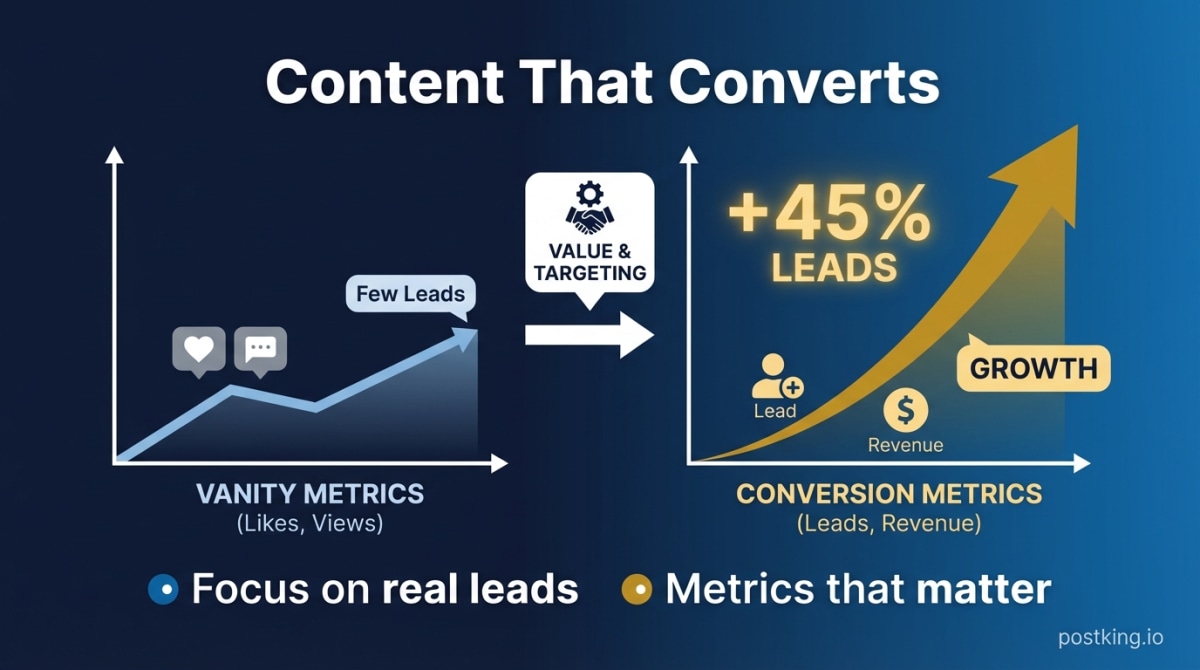
LinkedIn Content That Actually Converts (Not Just Gets Likes)
Stop chasing vanity metrics. Learn why viral posts rarely drive revenue, how to create content that generates leads, and the metrics that actually matter for founders.
Best LinkedIn Post Formats for Marketers: Text vs Carousel vs Video vs Polls (Data-Backed Analysis)
Performance data, templates, and strategic frameworks for choosing the right LinkedIn format. Learn when to use text, carousels, videos, or polls based on your marketing goals.
LinkedIn Carousel Generator
Try our free linkedin carousel generator to enhance your LinkedIn presence.
LinkedIn vs Twitter/X for Professionals: Where Should You Build Your Brand? (2026)
LinkedIn or Twitter? Complete platform comparison for building your professional brand. Audience, engagement, ROI, time investment, and which platform fits your career goals.
How to Get Inbound Leads on LinkedIn as a Consultant: The Authority-First Approach
Stop chasing clients. Learn how consultants build authority through content, turn engagement into natural conversations, and create a sustainable inbound lead system that works while you're serving clients.
more engagement with carousels
Create scroll-stopping LinkedIn carousels in under 60 seconds. No design skills needed.
Try Carousel Generator