Voice-to-LinkedIn: Turn 15 Minutes of Talking into a Week of Posts
Stop staring at blank screens. Learn the voice-first workflow that lets busy founders capture insights on the go and transform raw recordings into engaging LinkedIn posts.

Shanjai Raj
Founder at Postking
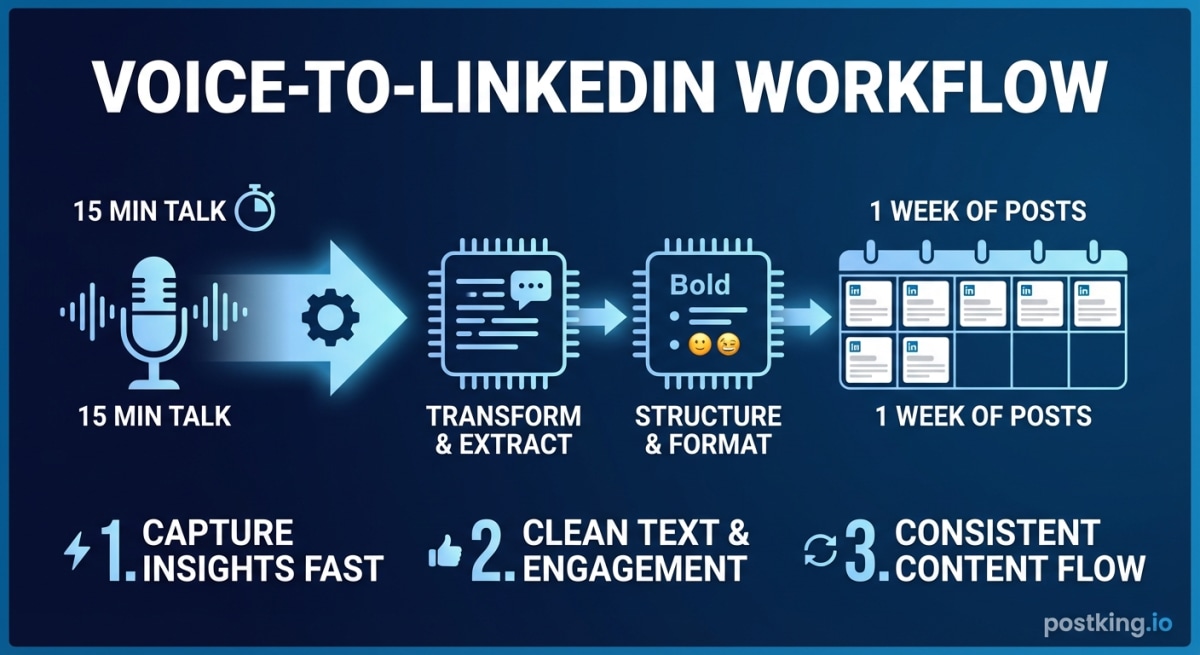
You just crushed a sales call. The prospect asked why your approach is different, and for the next three minutes, you explained your entire philosophy with clarity you didn't know you had. Stories. Analogies. Hard-won insights.
That was a LinkedIn post. It just evaporated into the ether because you didn't capture it.
Most founders have this problem backwards. They think they need to sit down and write. But you're already creating content all day long, on calls, in meetings, during walks when you're processing a tough decision. The missing piece isn't creativity. It's capture.
Why Your Brain Prefers Talking
Writing triggers a different mode of thinking than speaking. When you open a blank document, your internal editor wakes up. Every sentence gets scrutinized before it's finished. You delete, rephrase, start over. An hour disappears and you've produced two mediocre paragraphs.
Talking works differently. Ideas flow without the friction. You don't stop mid-sentence to wonder if "leverage" is overused. You explain the thing, tell the story, share the observation. Done.
Here's what this means practically: the best version of your ideas already exists. It happens when you're explaining your product to an interested prospect. When you're walking a new hire through how your team thinks. When you're venting to a co-founder about something frustrating in your market.
Voice-first content creation doesn't make you a better writer. It routes around the need to write by capturing you at your most articulate.
The 15-Minute Weekly Session
Block time on your calendar. Treat it like a meeting you can't skip. Fifteen minutes, once per week, somewhere quiet enough for clear audio.
Then work through five prompts. Don't overthink them. Just talk.
Minutes 1-3: The Lesson
"What's one thing I learned this week that would have helped me six months ago?"
Maybe a customer interaction revealed something about your market. Maybe a hire taught you something about your culture. Maybe you finally understood why a feature wasn't landing. Pick the freshest insight and explain it like you're telling a friend.
Minutes 4-6: The Observation
"What's something I noticed that most people in my industry are ignoring?"
This is your contrarian take. What patterns do you see that others miss? What conventional wisdom feels wrong based on your experience? Don't worry about being provocative. Just be honest about what you're seeing.
Minutes 7-9: The Story
"What happened this week that surprised me, challenged me, or shifted how I think?"
A decision you almost got wrong. A conversation you can't stop thinking about. A small win that meant more than it should. Stories stick with people more than advice.
Minutes 10-12: The Practical
"What's one specific thing I do that others might find useful?"
Think processes, frameworks, or tactics. How do you run your weekly check-ins? What questions do you ask in customer interviews? How do you prioritize what to build? The stuff that feels obvious to you is often genuinely valuable to others.
Minutes 13-15: The Question
"What am I wrestling with that I don't have an answer to yet?"
Some of the best engagement comes from real uncertainty. Sharing what you're still figuring out invites people into the conversation. It's also more authentic than pretending you have everything sorted.
After fifteen minutes, you've got raw material for four or five posts. Not polished drafts, but the hard part is done.
Capturing Ideas Outside the Session
The weekly recording gives you structure. But your best insights don't arrive on schedule.
They show up right after a prospect call goes better than expected. During a run when you finally crack why your positioning isn't landing. At midnight when you can't sleep because something just clicked about your go-to-market.
Keep your voice memo app one tap away. When an insight hits, capture it in thirty seconds. Don't worry about completeness. You're saving the spark, not writing the post.
After meetings: "What clicked for them? What did I explain well? What question would have been helpful to answer?"
During transitions: Walking to your car. Waiting for coffee. Commuting. These gaps are perfect for verbal processing.
When frustrated: Some of the most relatable content comes from real irritation. When something in your industry drives you crazy, that energy often makes great posts.
Before bed: The day's lessons consolidate while you're winding down. Those last thoughts before sleep are often worth saving.
The goal is making capture feel like breathing, not like a task.
Tools That Actually Work
You don't need complicated setups. Phone plus transcription is enough.
For recording:
Your default voice memo app works fine. But a few options smooth out the workflow:
Otter.ai transcribes as you record. You get text within minutes, can highlight sections, and export clips. The free tier offers 300 minutes monthly, which covers most founders.
MacWhisper (for Mac users) runs OpenAI's Whisper model locally. Pay once, transcribe forever, with accuracy that rivals paid services.
Built-in iOS transcription (iOS 18+) handles basic needs right in Voice Memos. Surprisingly good for simple recordings.
For transcription:
If you're recording with standard voice memos:
Otter.ai remains the default choice for automatic transcription. Around 90% accuracy, which is plenty for capturing substance.
Rev offers human transcription at $1.50/minute if you need higher accuracy for technical content.
Descript lets you edit audio by editing text. Delete words from the transcript, they disappear from the recording. Useful if you want to clean things up before processing.
From transcript to post:
The transcript is raw material, not finished content. You can edit manually, pulling key points and restructuring for written format. Or use AI tools to help shape the structure, then edit heavily to sound like yourself.
For the final formatting, Postking's LinkedIn post formatter handles line breaks and spacing so your content actually looks good in the feed.
Voice Prompts That Become Great Posts
Generic prompts produce generic recordings. Specific prompts produce specific, compelling content.
Here's a library organized by content type. Speak your answer, get it transcribed, edit into a post.
For Teaching Posts
"When someone asks me about [topic], the first thing I tell them is..."
"The mistake I see most often with [your area] is... and here's why it happens..."
"If I could only give someone one piece of advice about [topic], it would be..."
"The counterintuitive truth about [your expertise] that took me years to understand is..."
For Story Posts
"Something happened this week that reminded me why I started this company..."
"I had a conversation yesterday that I can't stop thinking about. Here's what they said..."
"A customer asked me something that stopped me cold. The question was..."
"Three years ago I would have handled [situation] completely differently. Here's what changed..."
For Opinion Posts
"Everyone in my industry keeps saying [common belief]. But my experience says the opposite because..."
"There's a metric everyone obsesses over that I think is totally misleading. Here's why..."
"I'm probably wrong about this, but I think [industry/practice] is heading toward..."
"Something that frustrates me about [your space] that I wish people talked about more..."
For Vulnerable Posts
"Something I'm uncertain about right now that I'd love perspective on..."
"A decision I made recently that might have been wrong. Here's my thinking..."
"What I'm afraid people will discover about running a company..."
"An assumption I've been operating on that I'm starting to question..."
The specificity matters. "Talk about what you learned" produces rambling. "What surprised you about the customer call you just finished?" produces something you can use.
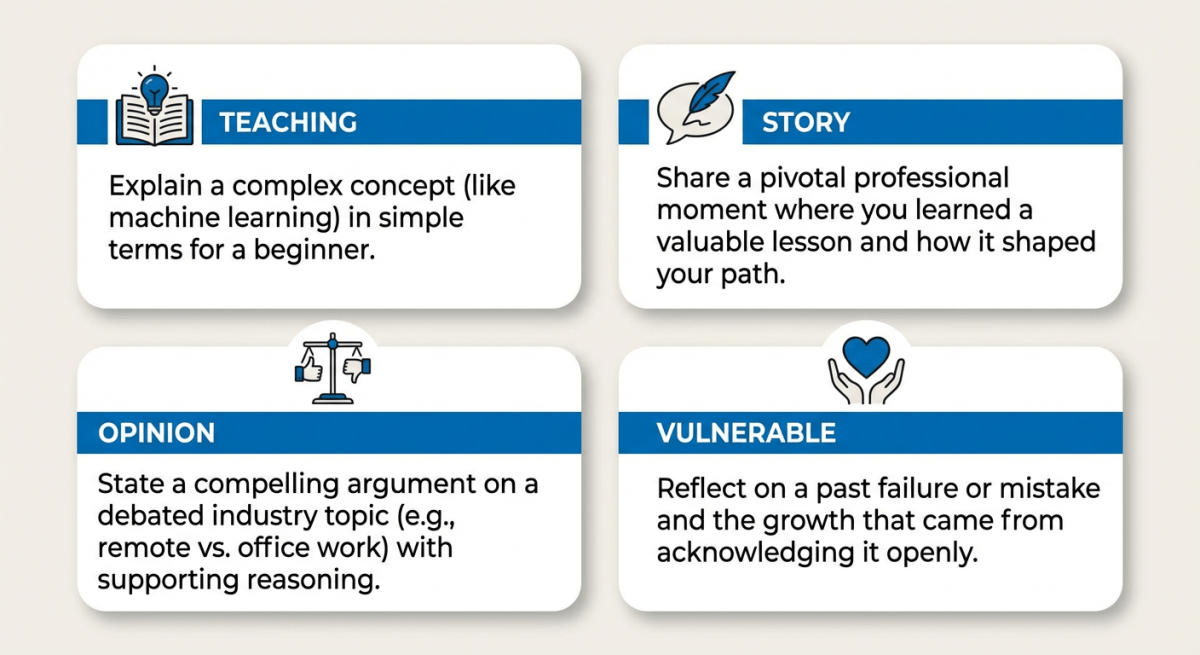 Voice Prompt Categories
From Rambling to Focused: The Editing Process
Transcripts read like transcripts. Converting them to posts requires editing, but the process is faster than writing from scratch.
Find the core insight
Read through the transcript and identify the one idea worth keeping. Most two-minute recordings contain a single solid insight surrounded by preamble and repetition. Highlight it. That's your post.
Cut the warmup
Spoken language includes a lot of throat-clearing. "So I was thinking about this today, and it's kind of interesting because, you know..." All of that goes. In writing, start with the point.
Collapse the repetition
When you talk, you say the same thing multiple ways to make sure you're understood. In writing, pick the clearest version and delete the others.
Front-load the hook
Your transcript probably starts with context. But LinkedIn posts need to earn the click on "see more." Move your most interesting claim, observation, or question to the very beginning.
Format for scrolling
Short paragraphs. Line breaks between thoughts. Bullet points for lists. Dense text blocks get skipped on LinkedIn.
Preserve your voice
The goal isn't to make the transcript "sound written." It's to keep your natural way of explaining things while removing the parts that only work in speech. Your quirks and phrases are features, not bugs.
This process takes 10-15 minutes per post once you've done it a few times. Combined with a 15-minute recording session, you're producing a week of content in under an hour.
Common Mistakes to Avoid
Recording without a prompt
"I'll just talk about what's on my mind" produces five minutes of meandering. Use specific prompts. They focus your thinking before you start.
Waiting for the perfect environment
You'll never find complete silence. Background noise is fine. Ums and pauses are fine. You're capturing ideas, not producing a podcast.
Over-editing
Some founders strip out everything interesting in pursuit of "professional" polish. Leave some personality. Leave the slightly rough edges. That's what makes content feel human.
Recording everything, editing nothing
The recording is step one. It's not content until you've shaped it. A folder full of unprocessed voice memos isn't a system; it's a graveyard.
Treating this as a writing replacement
Voice capture works for certain content. Quick insights, stories, opinions, frameworks. For detailed technical breakdowns or heavily researched posts, you'll still need to write. Voice-first is one tool, not the only tool.
Making This a Real Habit
Systems work when they're easy to maintain. Here's how to make voice-first stick.
Anchor to existing behavior
Pair recording with something you already do. Post-meeting debrief. Post-workout shower thoughts. Sunday planning time. Habits stack better than standalone tasks.
Set a low bar
One post per week from voice capture. That's the minimum. Once you're hitting that consistently, add more. Building the habit matters more than maximizing volume.
Batch the editing
Record throughout the week, edit in one session. Context-switching between capture mode and editing mode is expensive. Batching reduces that friction.
Process quickly
Voice memos lose context fast. A recording from three days ago requires mental work to remember what you were thinking. Edit within 48 hours while the insight is fresh.
Review monthly
Which voice-captured posts performed best? What prompts led to your strongest content? What times of day produced better recordings? Patterns emerge when you look.
Why This Actually Matters
The point isn't just saving time, though voice-first does that.
The real value is capturing insights when they're fresh. That moment of clarity after a customer call. The honest reflection after a tough week. The framework that finally crystallized while you were walking.
Traditional content creation asks you to recreate those moments later, sitting at a keyboard, trying to remember what felt true. Most founder content dies in that gap. Not from lack of ideas, but from the decay between insight and writing.
Voice capture preserves the energy. The specificity stays intact. The honesty that comes from speaking before you overthink is still there.
Your best LinkedIn content should sound like you at your most articulate, explaining something you care about to someone who genuinely wants to understand. That's how you already talk. The system just captures it.
Want to make your content look as good as it sounds? Once you've transformed your voice notes into posts, use Postking's free post formatter to nail the formatting. For longer-form ideas, our carousel generator turns your frameworks into visual slide decks. And for a complete picture of what to post and when, check out our LinkedIn content strategy guide.
Related Reads
Written by
Shanjai Raj
Founder at Postking
Building tools to help professionals grow on LinkedIn. Passionate about content strategy and personal branding.
View all postsYou might also like
LinkedIn Hook Generator
Try our free linkedin hook generator to enhance your LinkedIn presence.
LinkedIn Post Ideas Generator
Try our free linkedin post ideas generator to enhance your LinkedIn presence.
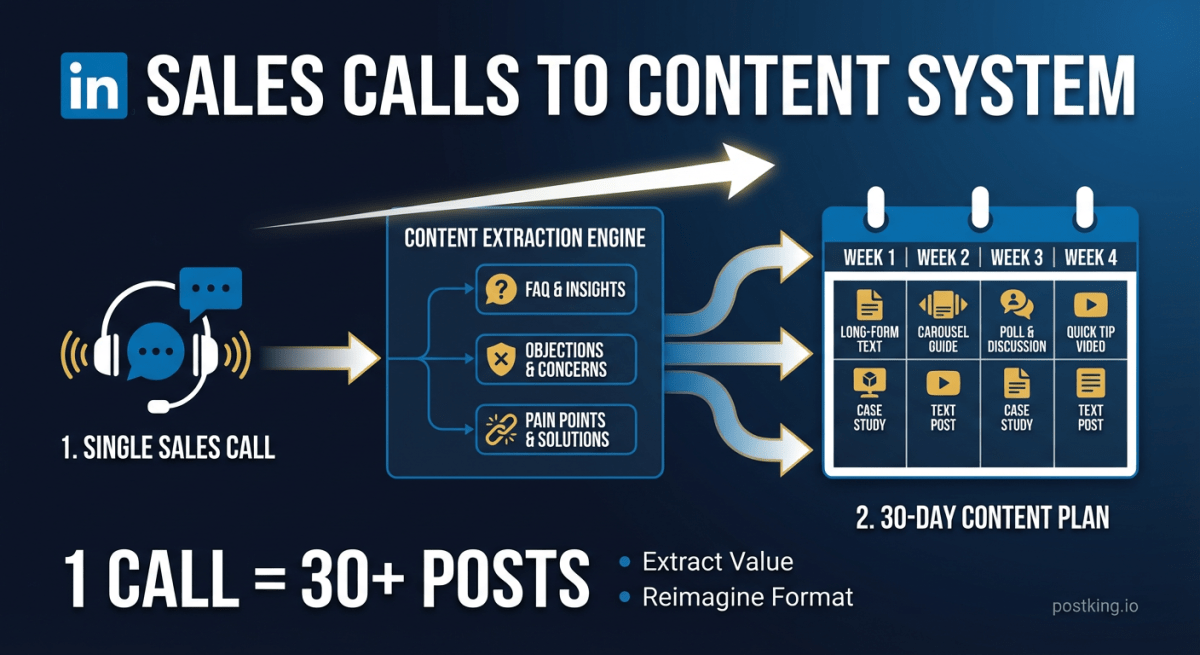
How to Turn Sales Calls into 30 Days of LinkedIn Content
Stop staring at blank screens. Your sales calls contain weeks of content hiding in plain sight. Here's the system for extracting posts from the conversations you're already having.
LinkedIn Content Ideas for Startup Founders: 50+ Topics That Build Authority (2026)
Content ideas that position you as a thought leader without taking hours daily. 50+ topics, templates, and frameworks for time-poor founders.
LinkedIn Post Formatter
Try our free linkedin post formatter to enhance your LinkedIn presence.
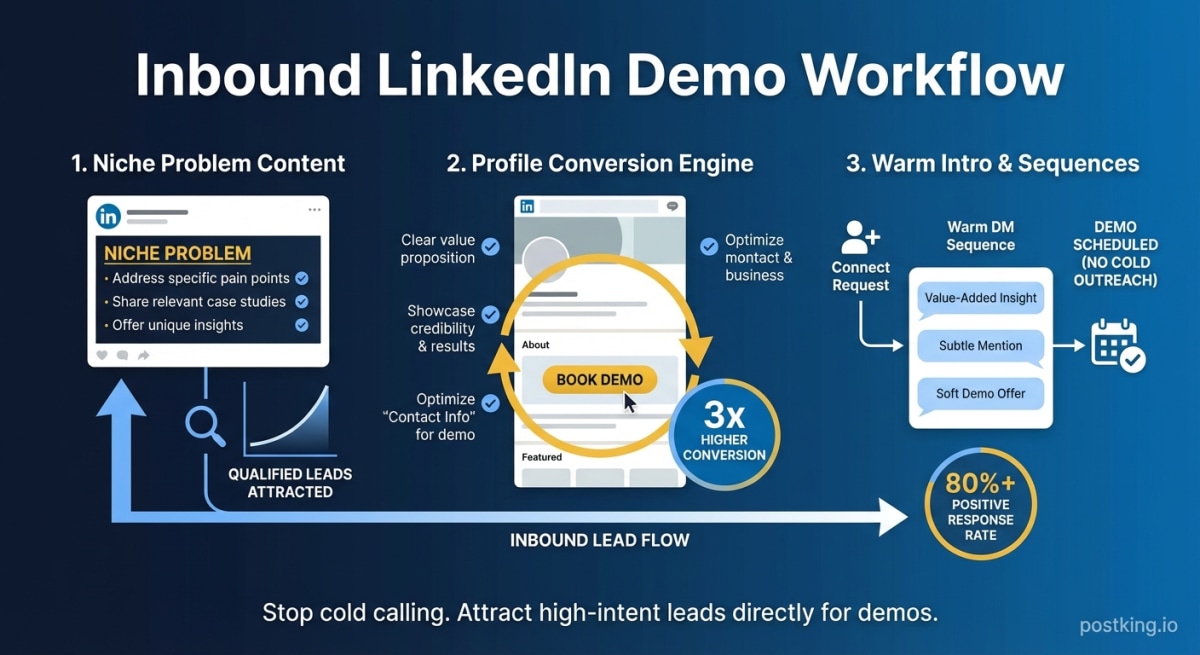
How to Get Demo Calls from LinkedIn Without Cold Outreach
Learn how to generate inbound demo requests from LinkedIn using the niche problem post format, profile optimization for conversion, and warm DM sequences that don't feel spammy.
LinkedIn vs Twitter for Founders: Data-Backed Platform Comparison (2026)
Should founders focus on LinkedIn or Twitter? Compare audience, engagement, ROI, and time investment with data. Includes decision framework and hybrid strategy.
more engagement with carousels
Create scroll-stopping LinkedIn carousels in under 60 seconds. No design skills needed.
Try Carousel Generator